
A Field Employee is a site worker whose attendance and wages are recorded in BuildSuite: a mason, carpenter, helper or other labourer. Field employees are kept separately from the ERPNext Employee record. They can be engaged directly by the company or through a labour contractor.
Before you begin
- If the worker is engaged through a labour contractor, the contractor must already exist.
- The trades you want to use (for example Mason, Carpenter, Helper) must be set up.
- You need a role with permission to create field employees.
The employee list shows every field employee with their Code, Name, Trade, Daily Rate, Contractor and Status.
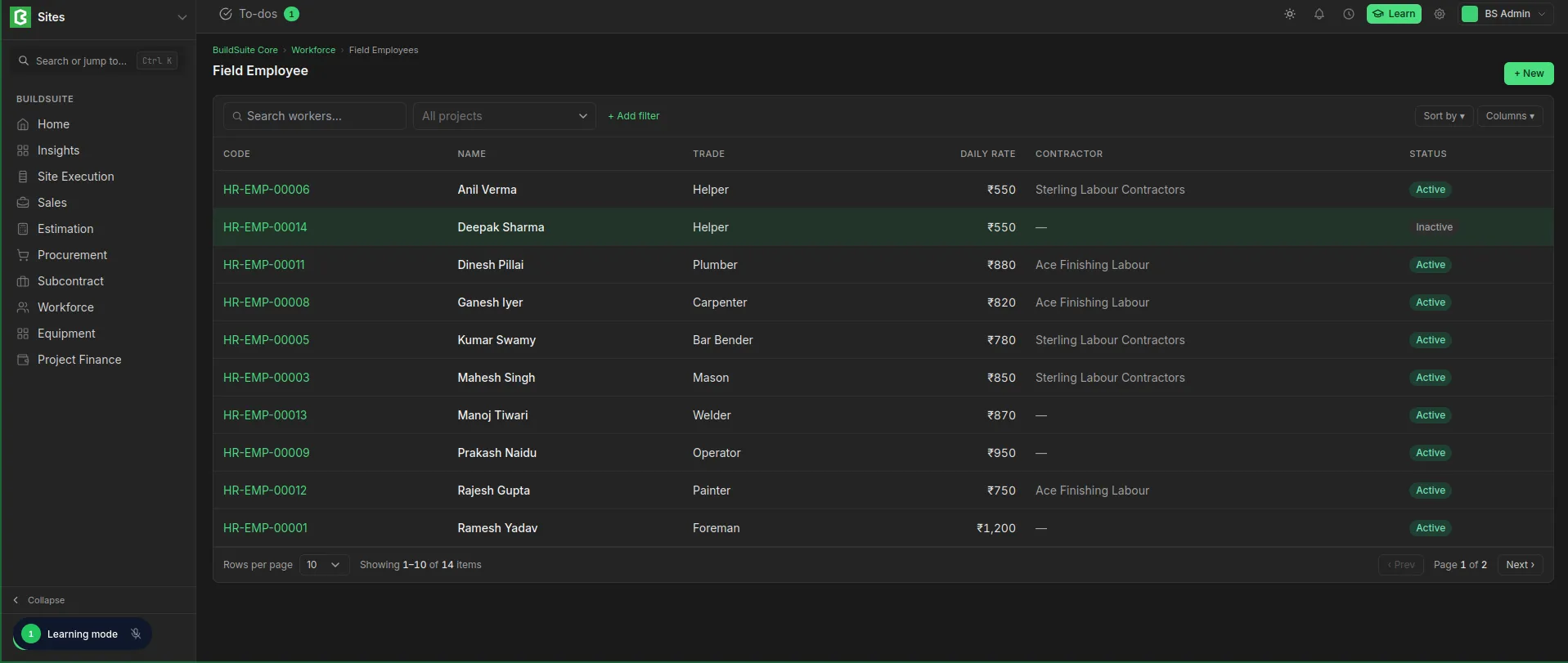 Field Employee List
Create a field employee
- Open Field Employees and click + New.
- Under Worker, enter the first name, gender, date of birth and date of joining.
- Select the Trade and, if the worker comes through a labour contractor, the Contractor.
- Under Wages, enter the Daily wage and, if applicable, the Overtime wage.
- Under Allocated Projects, click + Add project for each project the worker is assigned to.
- Click Create.
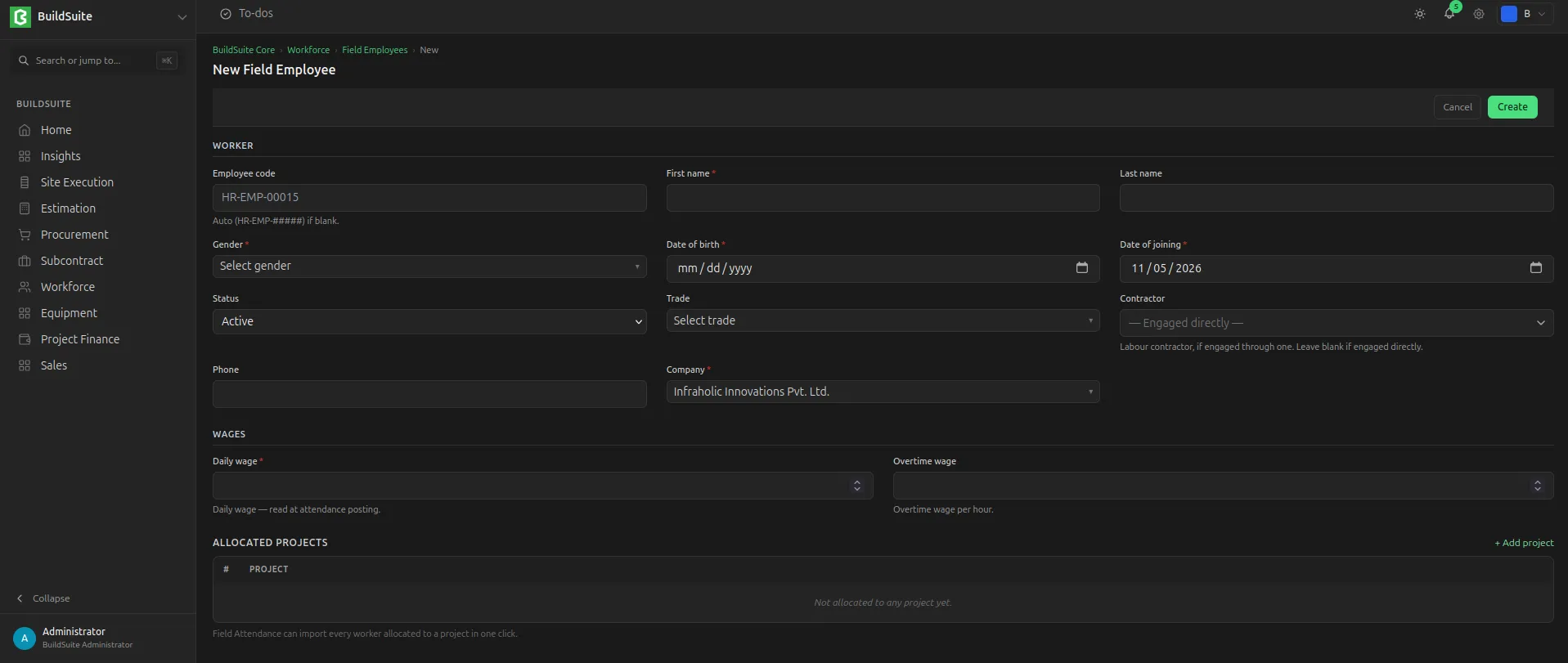 Field Employee Creation
Fields
Worker
| Field | Mandatory | What it means |
|---|---|---|
| Employee code | No | The worker’s ID. Created automatically as HR-EMP-##### if left blank |
| First name | Yes | |
| Last name | No | |
| Gender | Yes | |
| Date of birth | Yes | |
| Date of joining | Yes | Default: today |
| Status | Yes | Active by default. Only active workers can be marked in attendance |
| Trade | No | The worker’s trade, for example Mason or Carpenter |
| Contractor | No | The labour contractor the worker comes through. Leave blank if the worker is engaged directly |
| Phone | No | |
| Company | Yes | The company the worker works for. Filled automatically on a one-company site |
Wages
| Field | Mandatory | What it means |
|---|---|---|
| Daily wage | Yes | The worker’s pay for one day. Used to calculate labour cost when attendance is posted |
| Overtime wage | No | The worker’s pay per overtime hour |
Allocated Projects
| Field | What it means |
|---|---|
| Project | A project the worker is assigned to. Add one row per project |
Tip: Field Attendance can bring in every worker allocated to a project in one click, so keep each worker’s project list up to date.
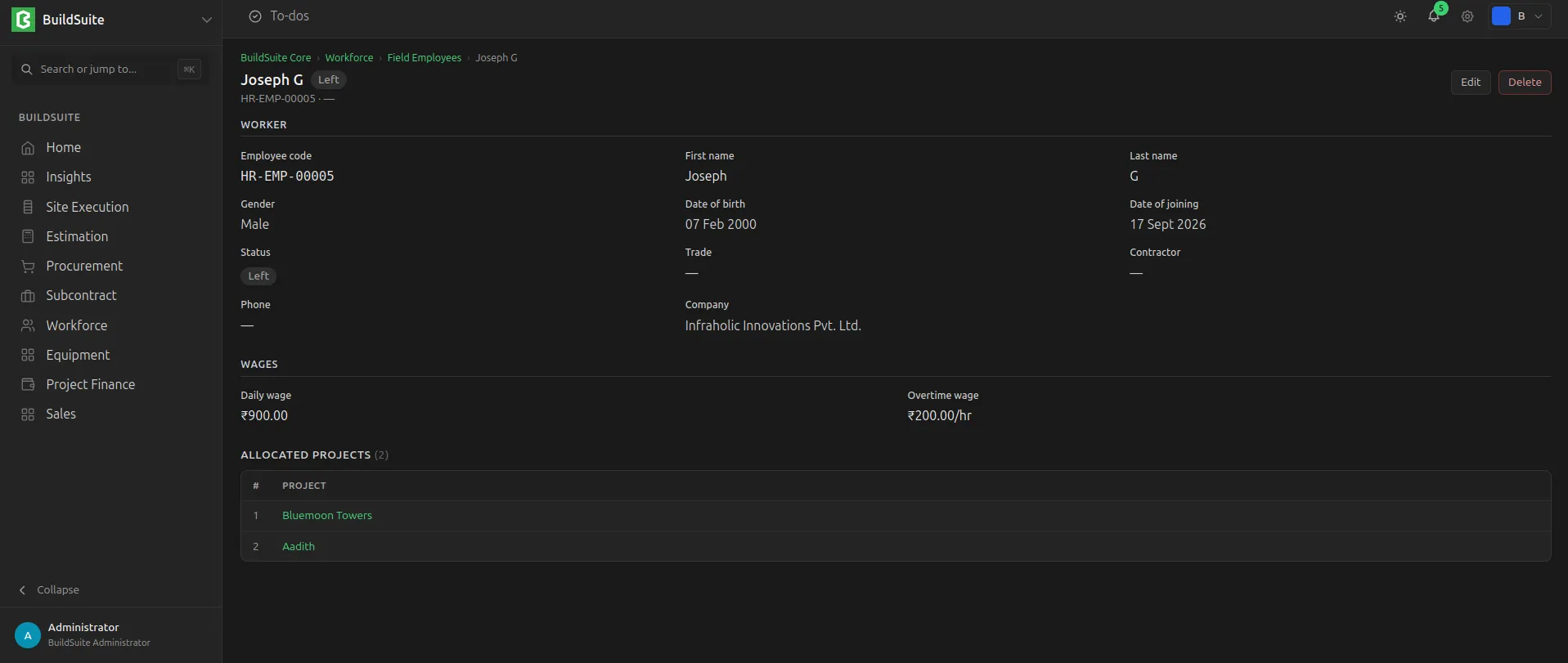 Field Employees Detailed View
Last updated 1 day ago
Was this helpful?