
A Measurement Book (MB) records the quantity of work a subcontractor has actually completed against a work order, measured on site. Once certified, those quantities are what the subcontractor can be billed for.
Open it from: Subcontract → Measurement Books
Before you begin
- The Work Order must be submitted.
Measurement Books list
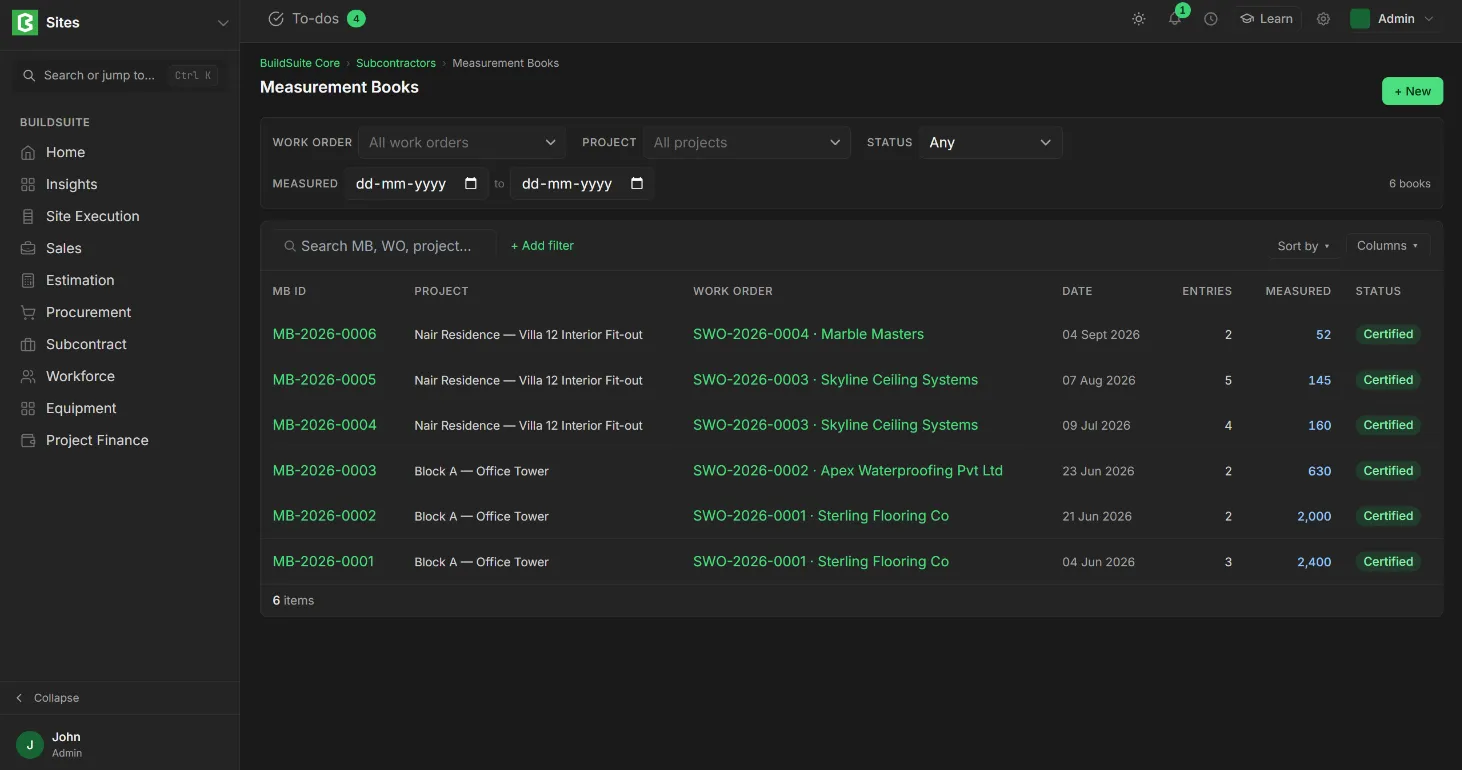
The list shows each book’s MB ID, Project, Work Order, Date, number of Entries, quantity Measured and Status. You can filter by work order, project, status and a measured date range.
Create a Measurement Book
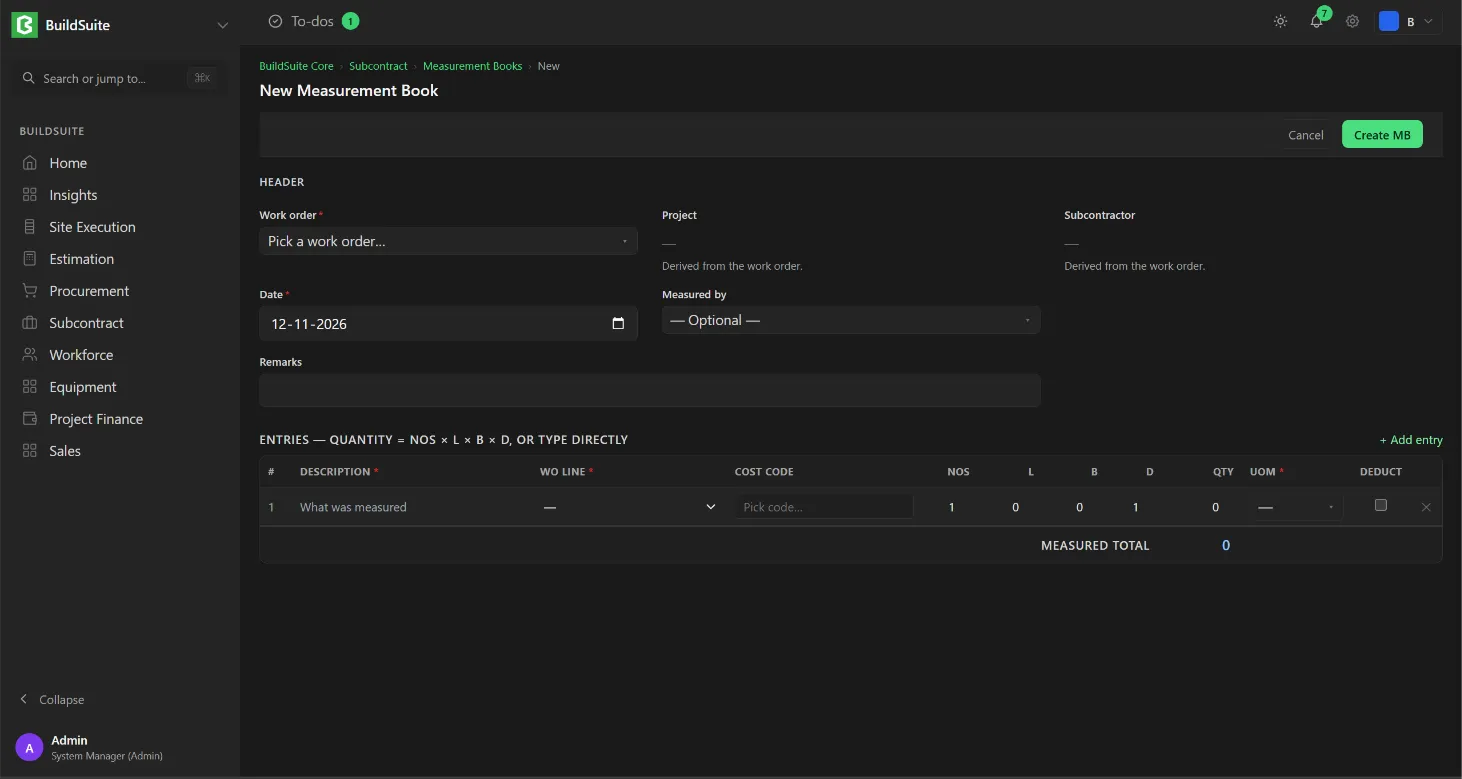
- Open Measurement Books and click + New. You can also click + Record measurement on a work order.
- Select the Work order. The project and subcontractor are filled in from it.
- Set the Date and Measured by, and add remarks if needed.
- Under Entries, click + Add entry for each measured area. Enter what was measured, pick the WO line, and enter the dimensions or type the quantity.
- Click Create MB. It is saved as Draft.
- When the quantities have been checked, the QS certifies the book and is recorded in Certified by.
Fields
Header
| Field | Mandatory | What it means |
|---|---|---|
| Work order | Yes | The submitted work order being measured |
| Project, Subcontractor | Read-only | Taken from the work order |
| Date | Yes | Date of measurement. Default: today |
| Status | Yes | Draft or Certified |
| Measured by | No | Who took the measurements. Default: you |
| Certified by | No | Who checked and certified them, usually the QS |
| Remarks | No | For example “North and south terraces pending parapet works” |
Entries
| Field | What it means |
|---|---|
| Description | What was measured, for example “Terrace east, APP membrane” |
| WO Line | The work order line this quantity counts against |
| Code | The cost code, taken from the WO line |
| Nos, L, B, D | Number, length, breadth and depth |
| Qty | Nos × L × B × D, or typed directly |
| UOM | The unit, taken from the WO line |
| Deduct | Tick for a deduction, such as an opening. Deduction rows are subtracted |
The Measured Total at the bottom is the total of all entries, less deductions.
Example: Terrace east: 1 × 30 × 14 × 1 = 420 m². Terrace west: 1 × 21 × 10 × 1 = 210 m². Measured total = 630 m².
The Measurement Book page
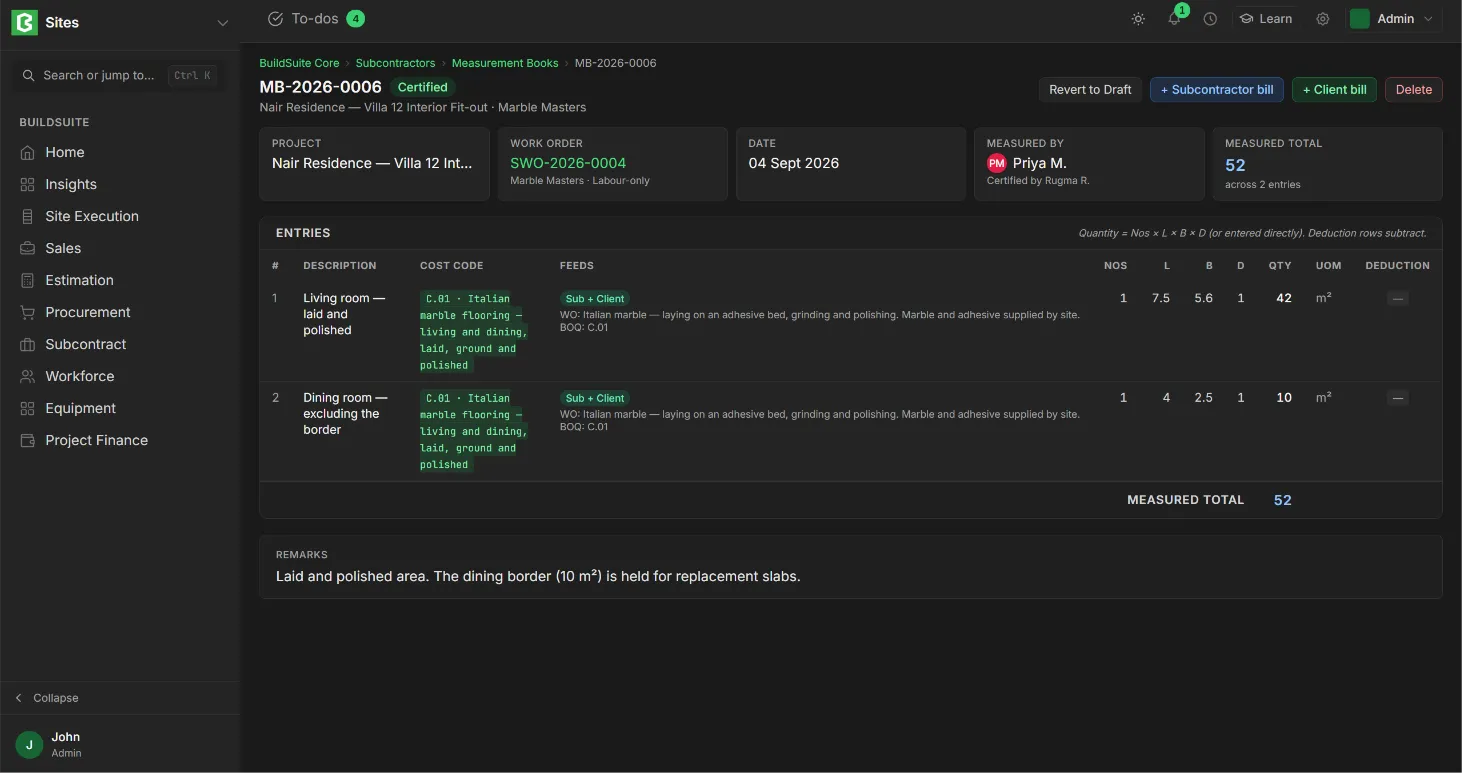
The top shows cards for the Project, Work Order, Date, Measured By (with who certified it) and Measured Total (with the number of entries), followed by the entries and remarks. On a certified book you can click + Subcontractor bill to bill its quantities, or Revert to Draft to correct it.
Rules
- A Measurement Book can be edited only while it is in Draft.
- Only Certified quantities can be billed.
- Certified quantities add to Measured to date on the work order’s schedule of values.
- To correct a certified book, Revert to Draft, fix the entries and certify it again.
- A work order with measurement books against it can’t be cancelled.