
Scope change orders
A Scope Change Order (SCO) records a change to the agreed scope of a project: extra work, reduced work, or a change to existing work. It can change quantities, rates and the project value.
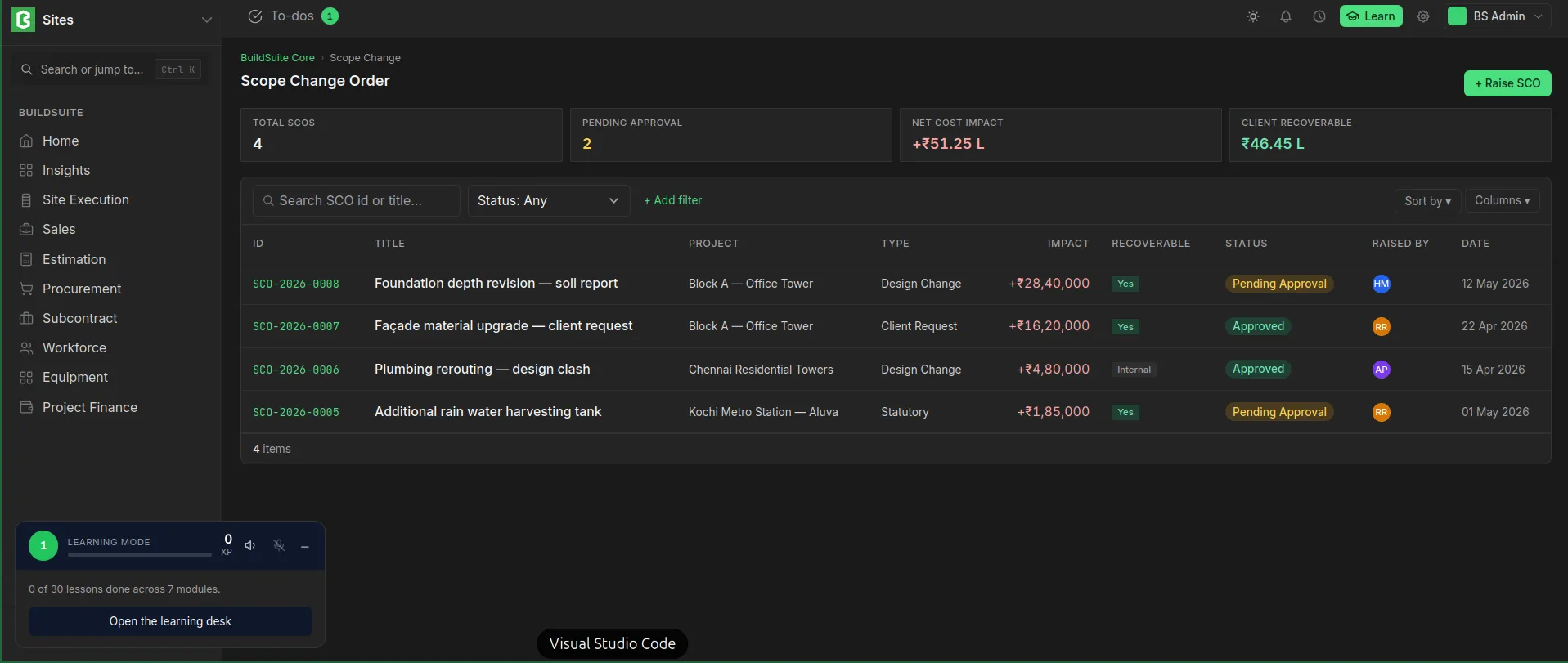 scope change order list view
SCO contents
| Field | Notes |
| Project | The project being changed |
| Title | The title for the SCO |
| Type of change | Design change, Client request, Rework etc |
| Reason | Why the scope changes |
| Cost impact | Calculated |
| Cost Recovery | Mention the recovery from client or Internal |
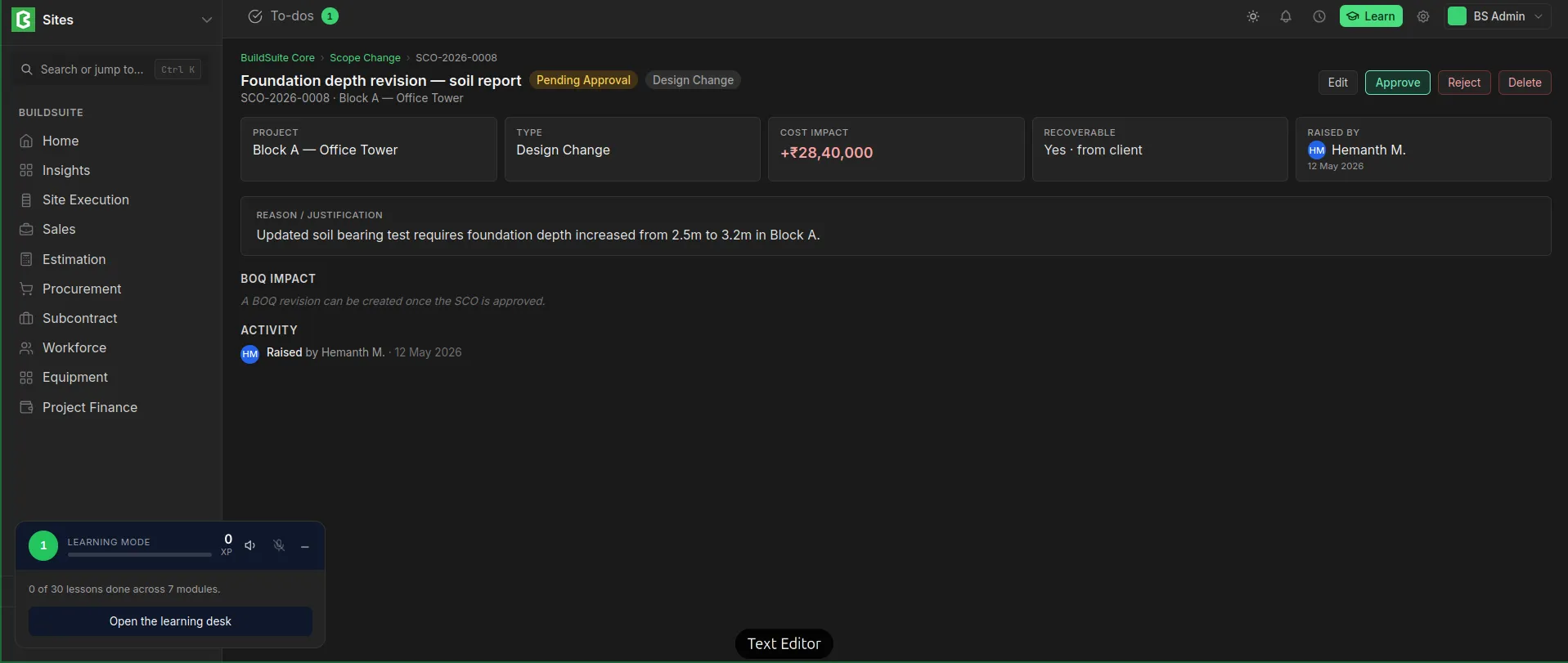 scope change order detailed view
Approval
| Status | Meaning |
| Pending Approval | Raised and waiting for a decision |
| Approved | Accepted. A revised BOQ can now be created |
| Rejected | Not accepted |
An approved or rejected SCO can be revised. Once it's revised, it goes to Draft stage. We can delete the created SCO also.
Revised BOQ
An approved SCO has a Create BOQ revision action. It copies the project's approved BOQ into a new draft revision, linked to the SCO. When that revision is approved, it replaces the previous one (see 11.4.5).
Last updated 1 day ago
Was this helpful?