
A Material Request (MR) is how the site tells the procurement team which materials it needs, how much, and by when. Once approved, it is ordered from a supplier with a purchase order.
Open it from: Procurement → Material Requests
Before you begin
- The Project must exist.
- The materials must exist as Items.
- For the cost to land on the estimate, the project’s BOQ must have cost codes.
Material Request list
The list shows each request’s ID, Project, Requested By, Required By, Ordered % and Status.
You can search by MR, project or item, and filter by status, project or requester.
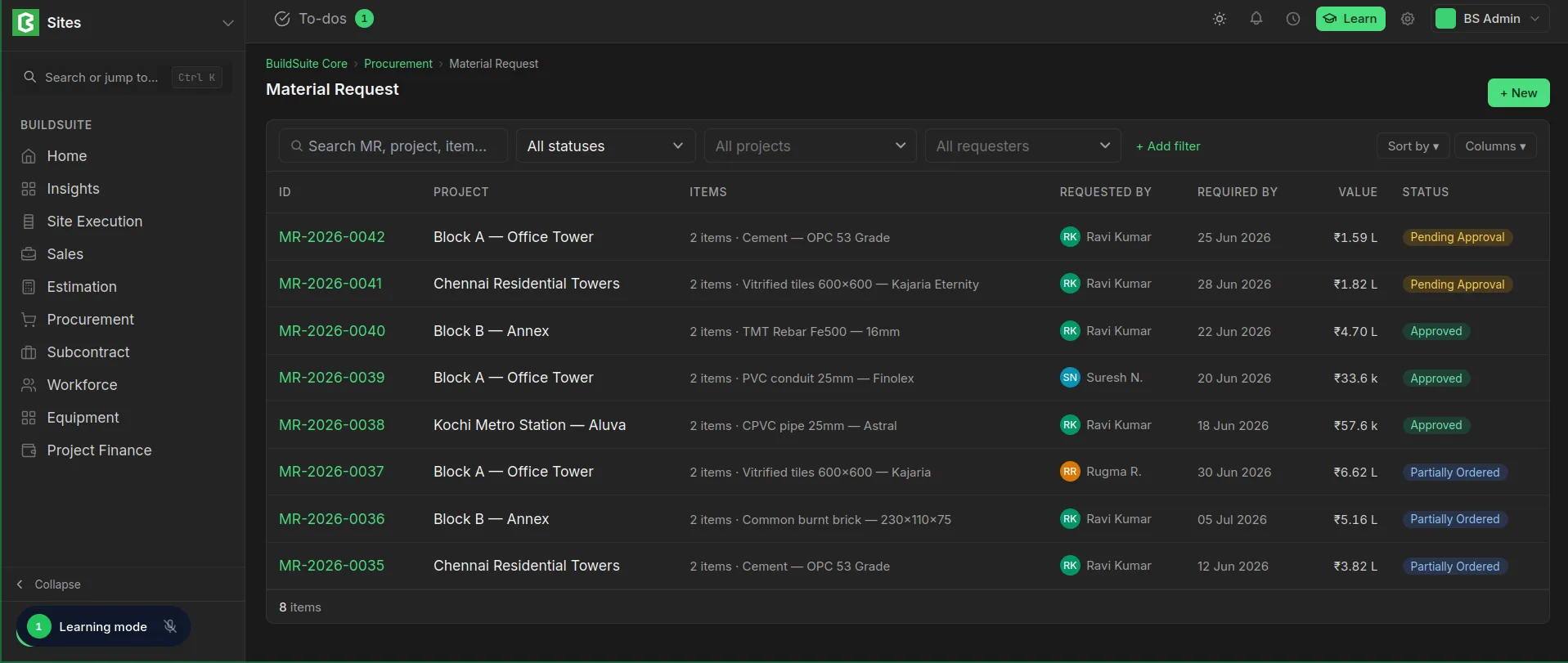 Material Request List
Raise a material request
- Open Material Requests and click + New.
- Select the Project and set the Needed by date.
- Under Items, select each item and enter its quantity and unit. Use Description for the brand, spec or where on site it’s needed, and pick a Cost code if the material belongs to part of the estimate.
- Click + Add item for each further item.
- Click Raise request. It goes for approval.
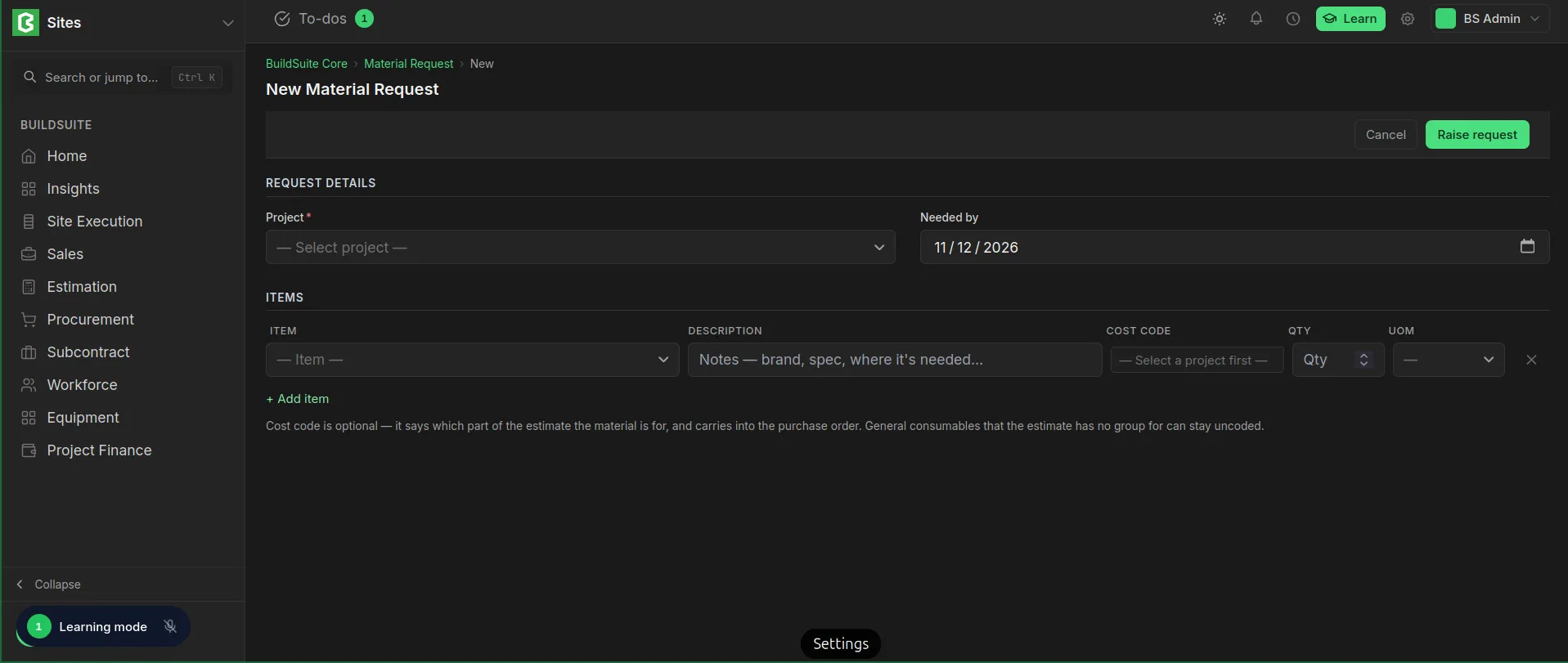 New Material Request Creation
Fields
| Field | Mandatory | What it means |
|---|---|---|
| Project | Yes | The project the materials are for |
| Needed by | No | The date the site needs them. Default: one week from today |
| Item | Yes | The material needed |
| Description | No | Notes such as brand, spec or where it’s needed |
| Cost code | No | The part of the estimate the material is for. Select the project first |
| Qty, UOM | Yes | The quantity needed and its unit |
Tip: The cost code is optional. It carries into the purchase order, so the cost lands on the right BOQ group. General consumables that have no group in the estimate can stay uncoded.
Status
| Status | What it means |
|---|---|
| Draft | Saved, not yet raised |
| Pending Approval | Raised, waiting to be approved |
| Approved | Approved and ready to be ordered |
| Partially Ordered | Some items or quantities are on a purchase order |
| Ordered | Everything has been ordered |
| Received | Everything ordered has been received at site |
| Stopped | Put on hold. No more can be ordered against it until it’s resumed |
| Cancelled | Cancelled. It can’t be ordered |
Rules
- A request can be edited only while it is in Draft.
- Only an approved request can be ordered.
- A request is open while it is Pending or Partially Ordered. Open requests show on the dashboard and in Requests waiting to be ordered.
- Stop a request to pause it without cancelling it, for example while the site rechecks the quantity. It can be resumed later.
- The cost code on each line carries into the purchase order.
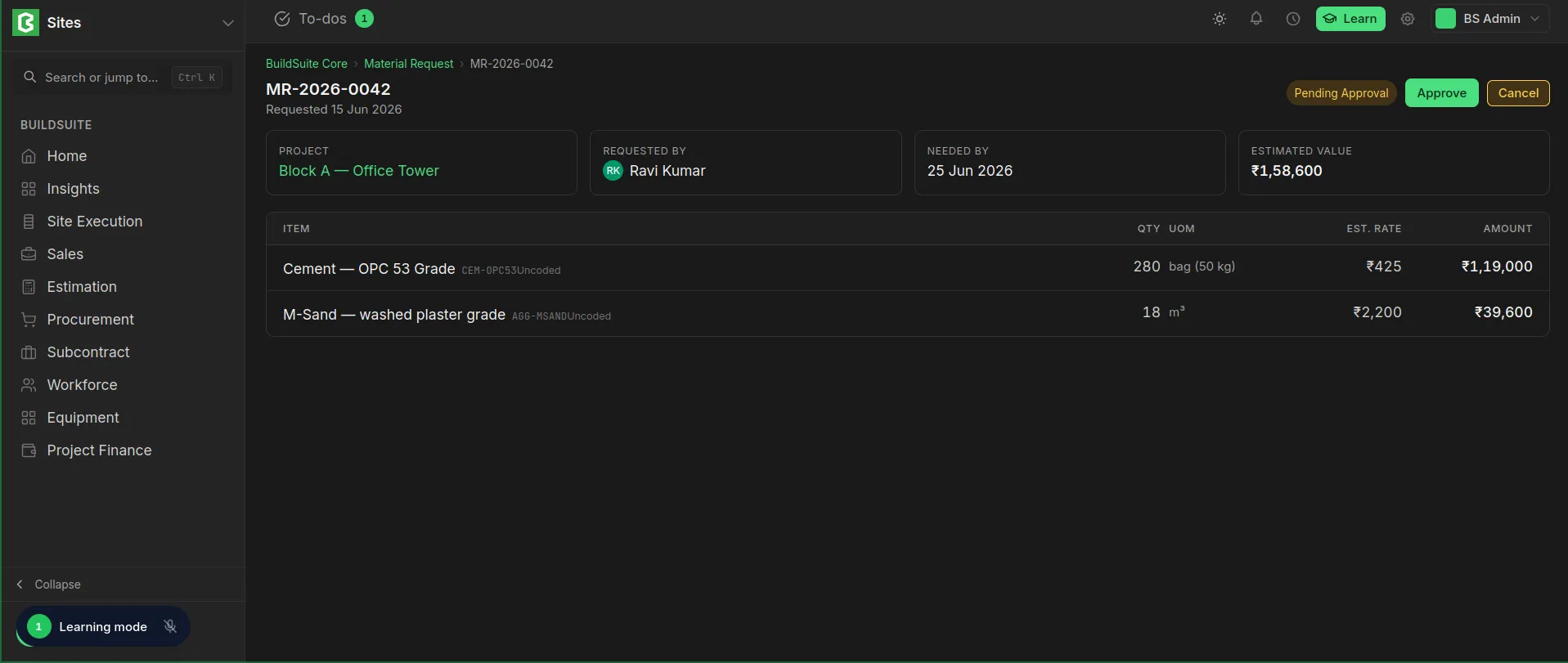 Material Request Detailed View
Last updated 1 day ago
Was this helpful?