
Procurement workspace
The Procurement workspace manages buying materials and services for projects, from the site’s request to the supplier’s bill:
Material Request → Purchase Order → Purchase Receipt → Material Consumption → Supplier Bill
The site raises a Material Request. Once approved, it’s ordered from a supplier with a Purchase Order. Goods arriving at site are recorded in a Purchase Receipt, which puts them into the project’s store. Material used on the project is issued out with Material Consumption. The supplier’s invoice is entered as a Supplier Bill. Each line can carry a cost code, so its cost lands on the right part of the project estimate.
These are standard ERPNext documents: Material Request, Purchase Order, Purchase Receipt, Stock Entry and Purchase Invoice. BuildSuite adds the project, cost code, approval and estimate checks, and puts them on one screen.
Open it from: Sidebar → Procurement
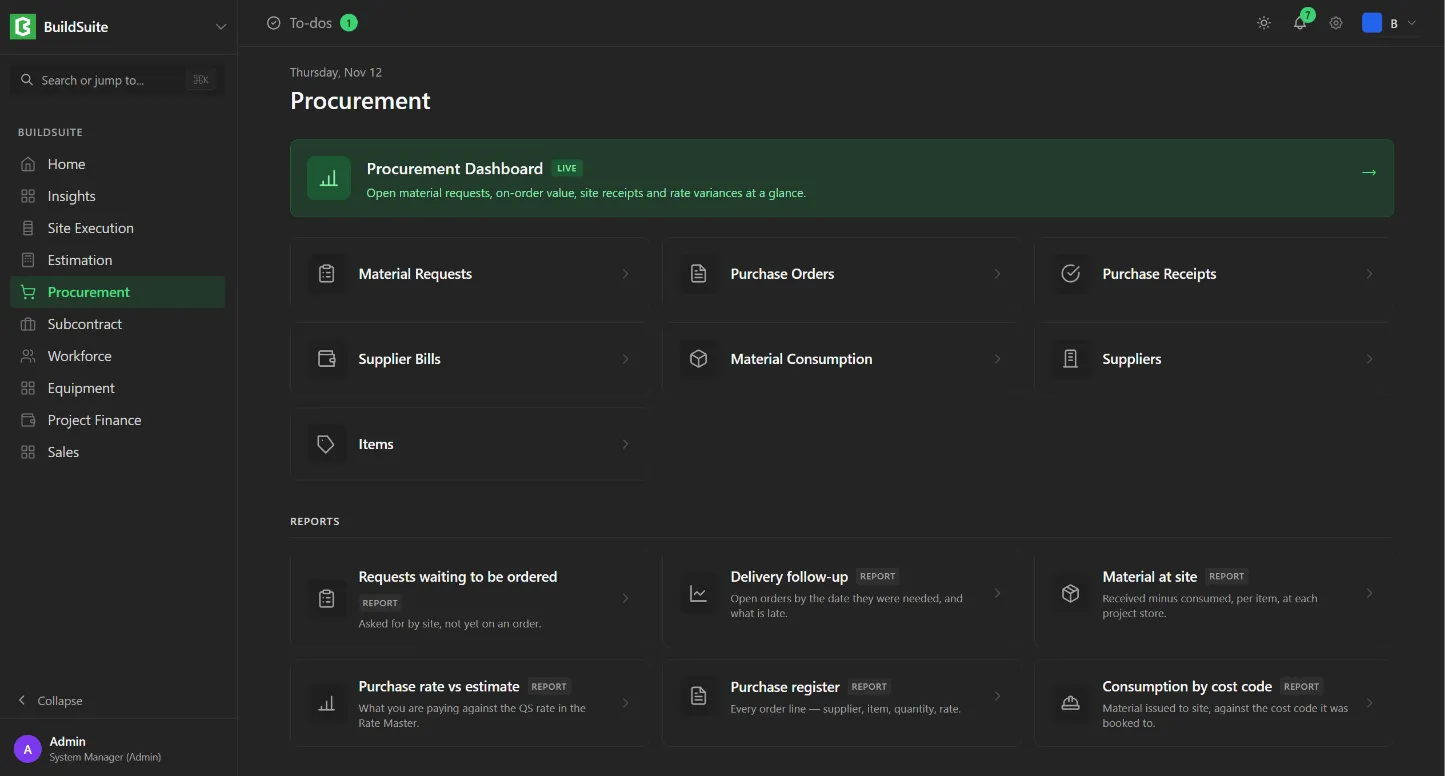
| Link | What it opens |
|---|---|
| Procurement Dashboard | A live summary of open requests, orders, site receipts and rate variances |
| Material Requests | Materials the site has asked for |
| Purchase Orders | Orders placed with suppliers |
| Purchase Receipts | Goods received at site |
| Supplier Bills | Supplier invoices (this opens Project Finance → Bills) |
| Material Consumption | Material issued out of site stock |
| Suppliers | The supplier master (this opens Project Finance → Suppliers) |
| Items | The item master |
Reports
| Report | What it shows |
|---|---|
| Requests waiting to be ordered | What the site has asked for that isn’t on an order yet |
| Delivery follow-up | Open orders by the date they were needed, and which are late |
| Material at site | Received minus consumed, for each item at each project store |
| Purchase rate vs estimate | What you’re paying against the QS rate in the Rate Master |
| Purchase register | Every order line, with supplier, item, quantity and rate |
| Consumption by cost code | Material issued to site, against the cost code it was booked to |
Note: You see only the links, reports and figures your role has permission for. See Roles and permissions.
Procurement Dashboard
Summary cards
- Open Material Requests: the number and value of requests not yet fully ordered.
- On Order · Awaiting Delivery: purchase orders not yet fully received, with their value.
- Received This Week: purchase receipts in the last 7 days.
- Above Estimated Rate: PO lines priced above the Rate Master.
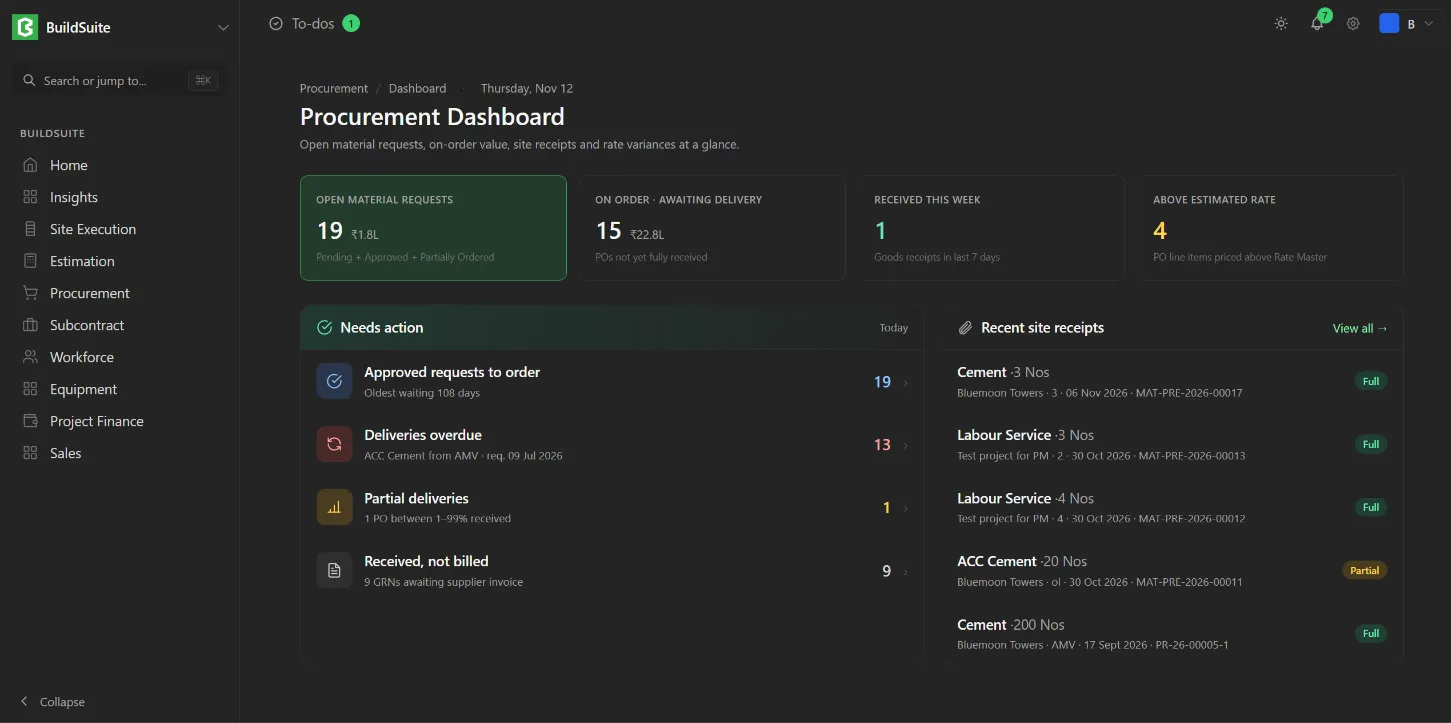
Needs action lists approved requests waiting to be ordered (with how long the oldest has waited), overdue deliveries, partial deliveries (orders 1–99% received) and goods received but not billed. Click a row to open that list.
Recent site receipts shows the latest receipts with item, quantity, project, supplier, date and receipt ID. Click View all to open Purchase Receipts.