
A Crew is a group of field employees who work together on site, for example “Block A Structural Gang”. A crew lets you mark attendance for a whole team at once and shows who leads it.
Open it from: Sidebar → Workforce → Crews
Before you begin
- The workers must already exist as Field Employees.
- You need a role with permission to create crews.
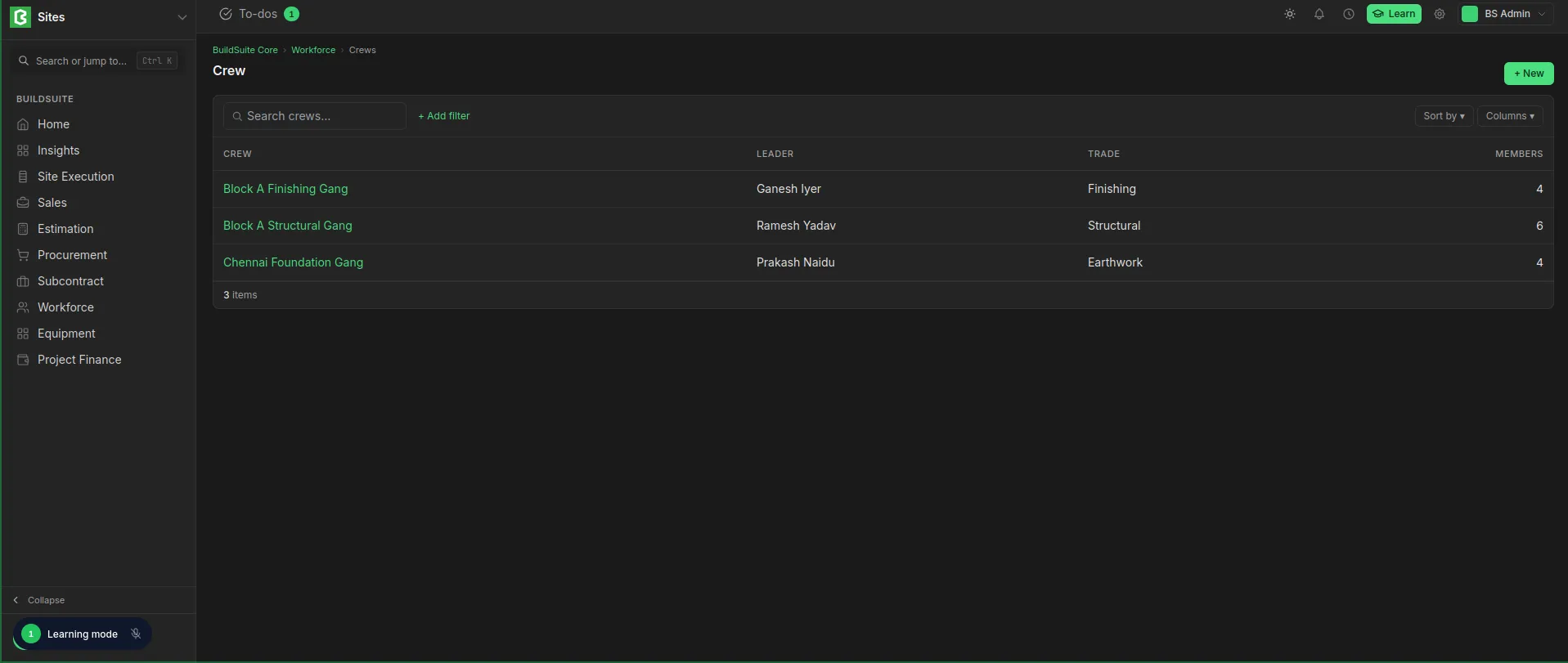 Crew List View
Create a crew
- Open Crews and click + New.
- Enter the Crew name.
- Select the Crew leader and enter the Trade.
- Under Members, click + Add member for each worker, and enter their role in the crew.
- Click Create crew.
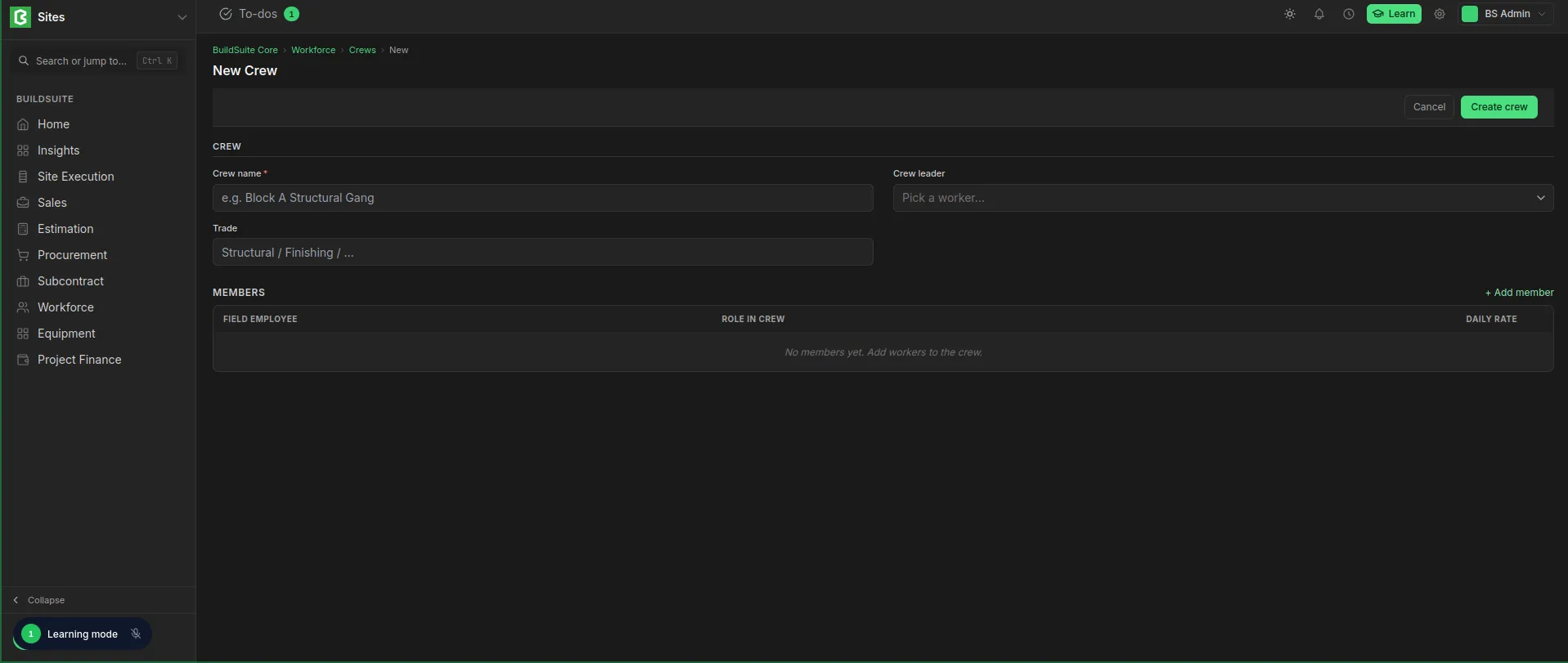 Crew Creation
Fields
Crew
| Field | Mandatory | What it means |
|---|---|---|
| Crew name | Yes | A name the site team will recognise, for example “Block A Structural Gang” |
| Crew leader | No | The field employee who leads the crew |
| Trade | No | The kind of work the crew does, for example Structural or Finishing |
Members
| Field | What it means |
|---|---|
| Field Employee | A worker in the crew |
| Role in crew | What the worker does in the crew, for example Mason or Helper |
| Daily Rate | The worker’s daily wage, taken from their Field Employee record |
Rules
- A worker’s wage always comes from their Field Employee record. Changing it there updates the crew.
- When workers join or leave, update the crew’s member list so attendance brings in the right people.
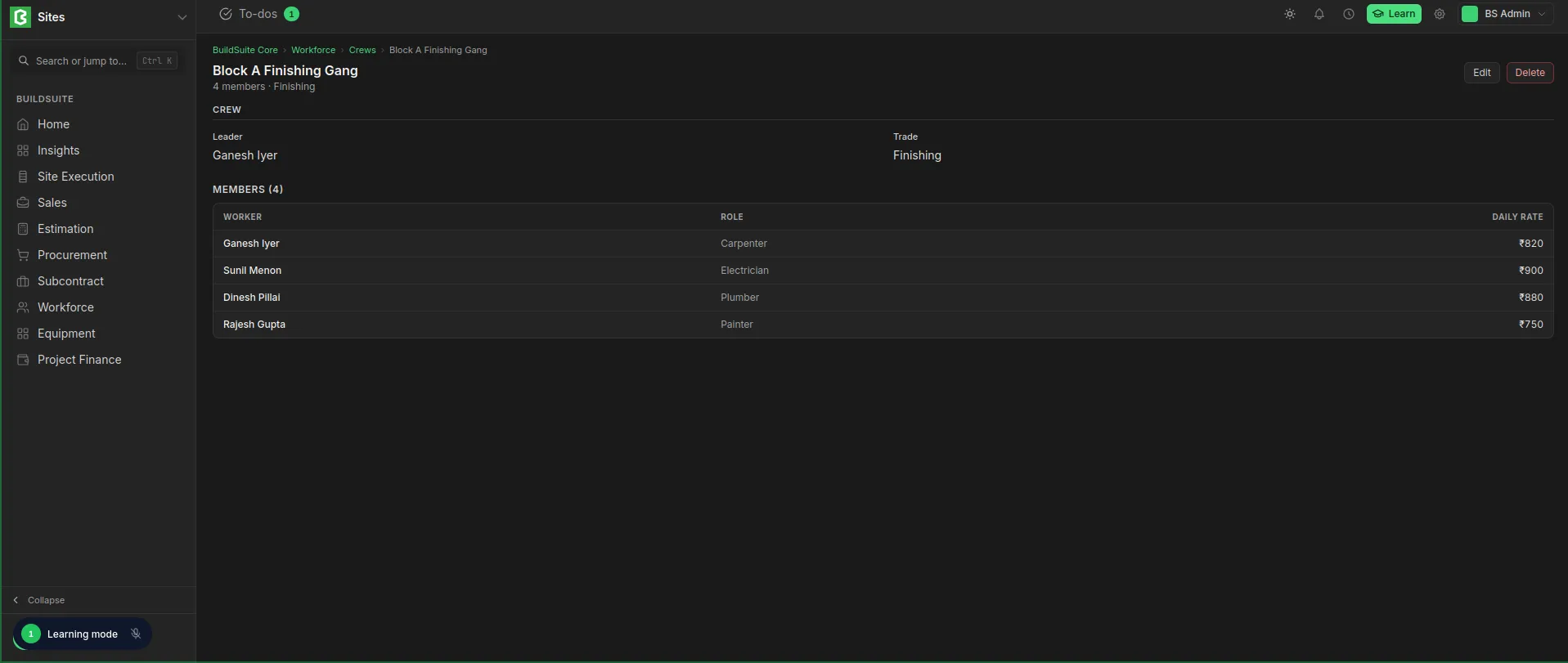 Crew Detailed View
Last updated 1 day ago
Was this helpful?