
An estimate template is a reusable BOQ structure of groups and items for a type of work, such as “Residential – RCC framed (G+1)”. It keeps BOQs for similar projects consistent and saves rebuilding them from scratch. Template items can come from assemblies or directly from the Rate Master (see the Estimation workspace for how these fit together).
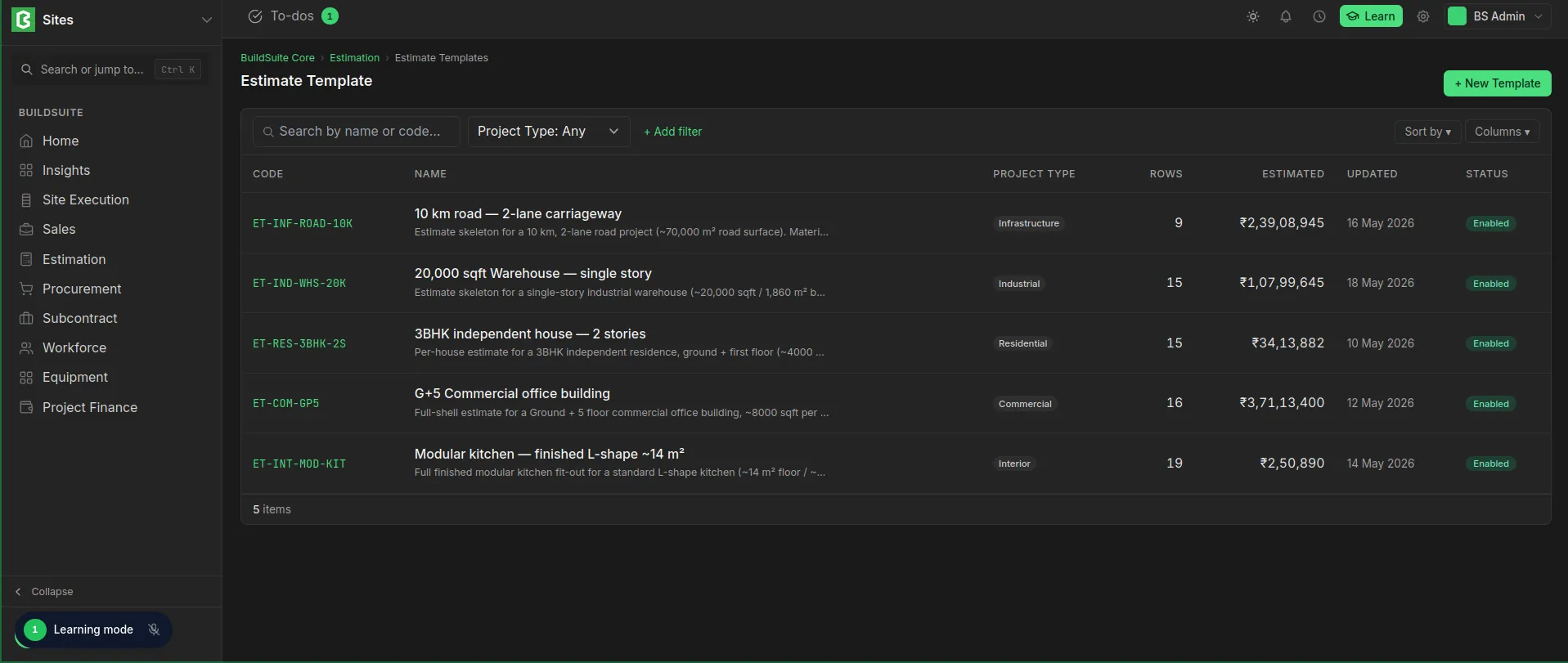 Estimate Template List
Create a template
- Go to Estimation → Estimate Template and click + New.
- Enter the details and click Create template.
- Click + Add group, then + Add item under each group, just as in a BOQ.
Each item has an item source (an assembly or Rate Master resource), unit, quantity, rate, amount and cost head. The page shows a subtotal for each group and the estimated total.
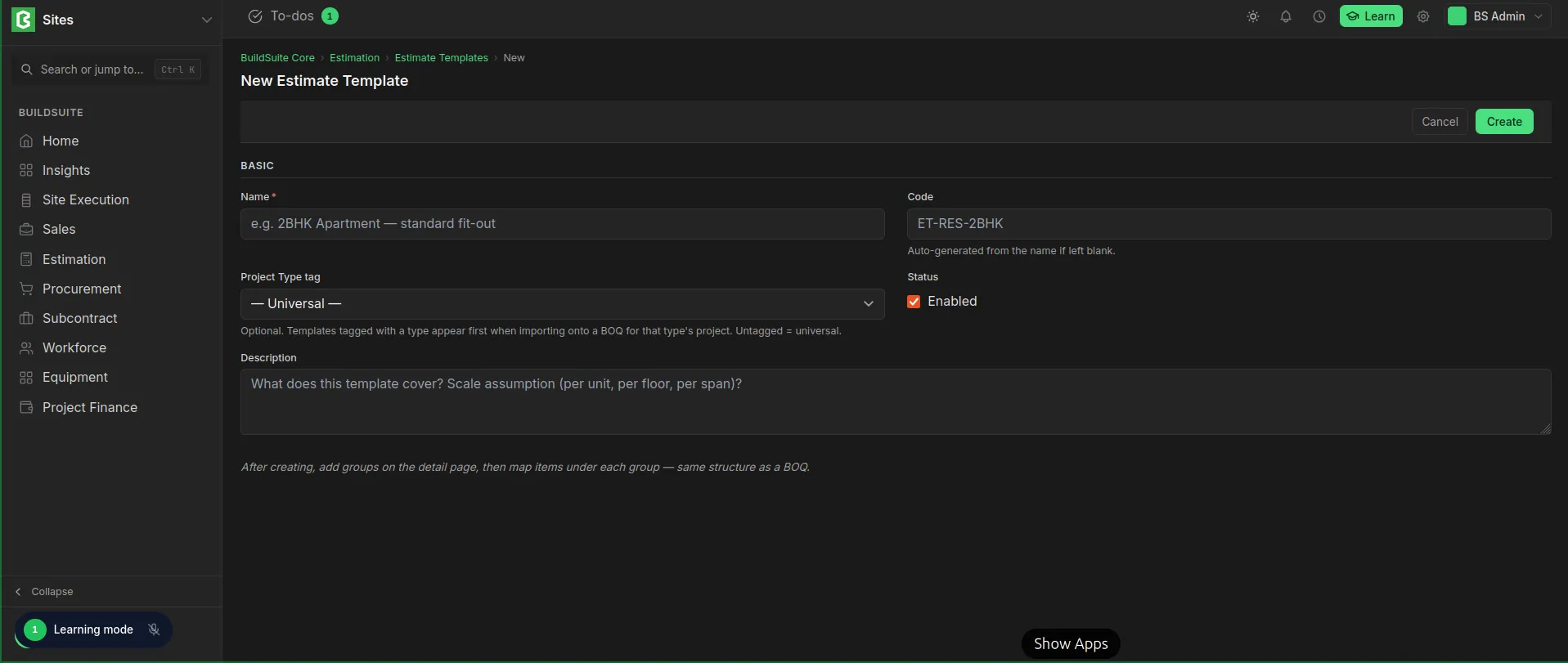 New Estimate Template
Use a template
On the BOQ page, click Import Template... and pick a template. The BOQ gets the template’s groups and items. Items that come from an assembly are expanded into sub-items, with the rates copied at the time of import. Adjust the quantities for the project.
Edit or delete
Use Edit to change the details, and the pencil or bin icons to change or remove a group. use the Delete to delete the template.
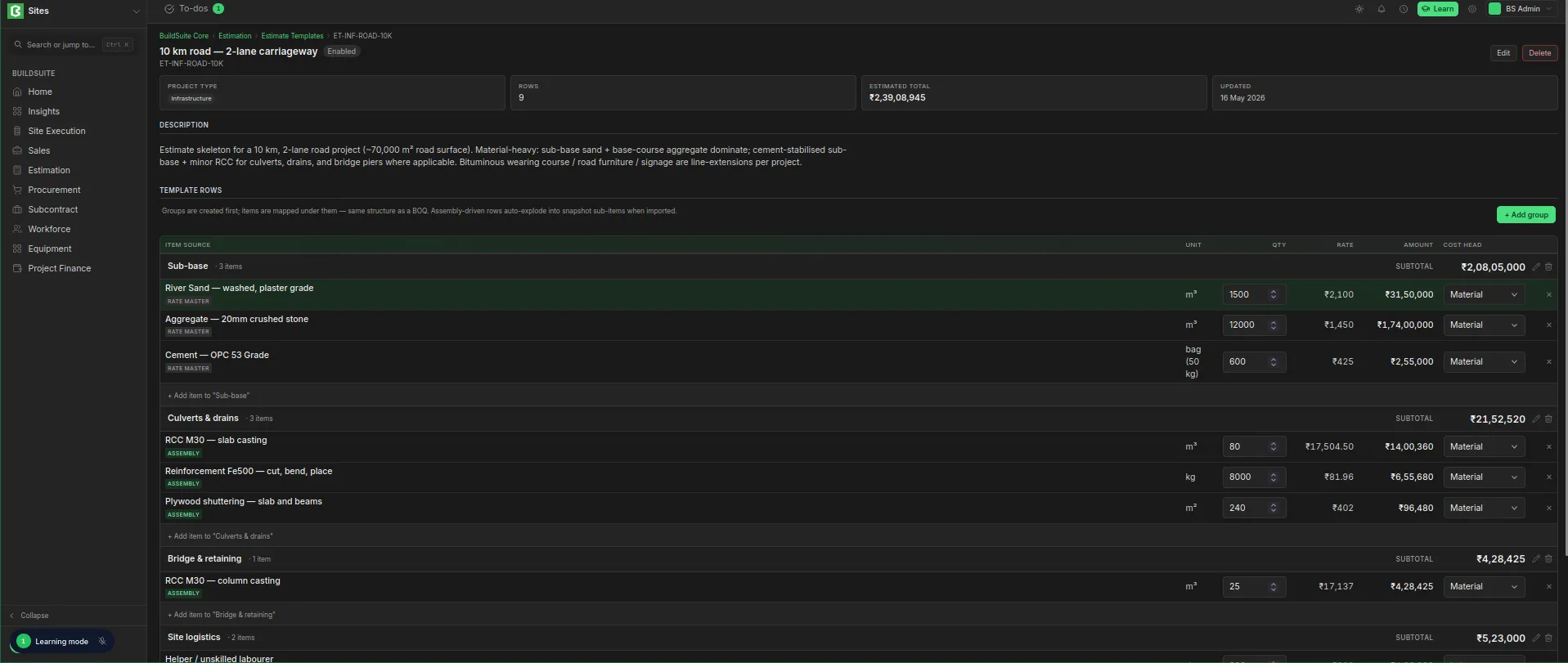 Detailed View with Edit and Delete oprtion