
Settings is where administrators set up BuildSuite Core: the companies, the people who can log in and what they can do, organisation-wide defaults, the project page, project categories, bank and cash accounts, the terms library, and the report tiles on each workspace.
Open it from: Sidebar → Settings (System Manager and BuildSuite Administrator only)
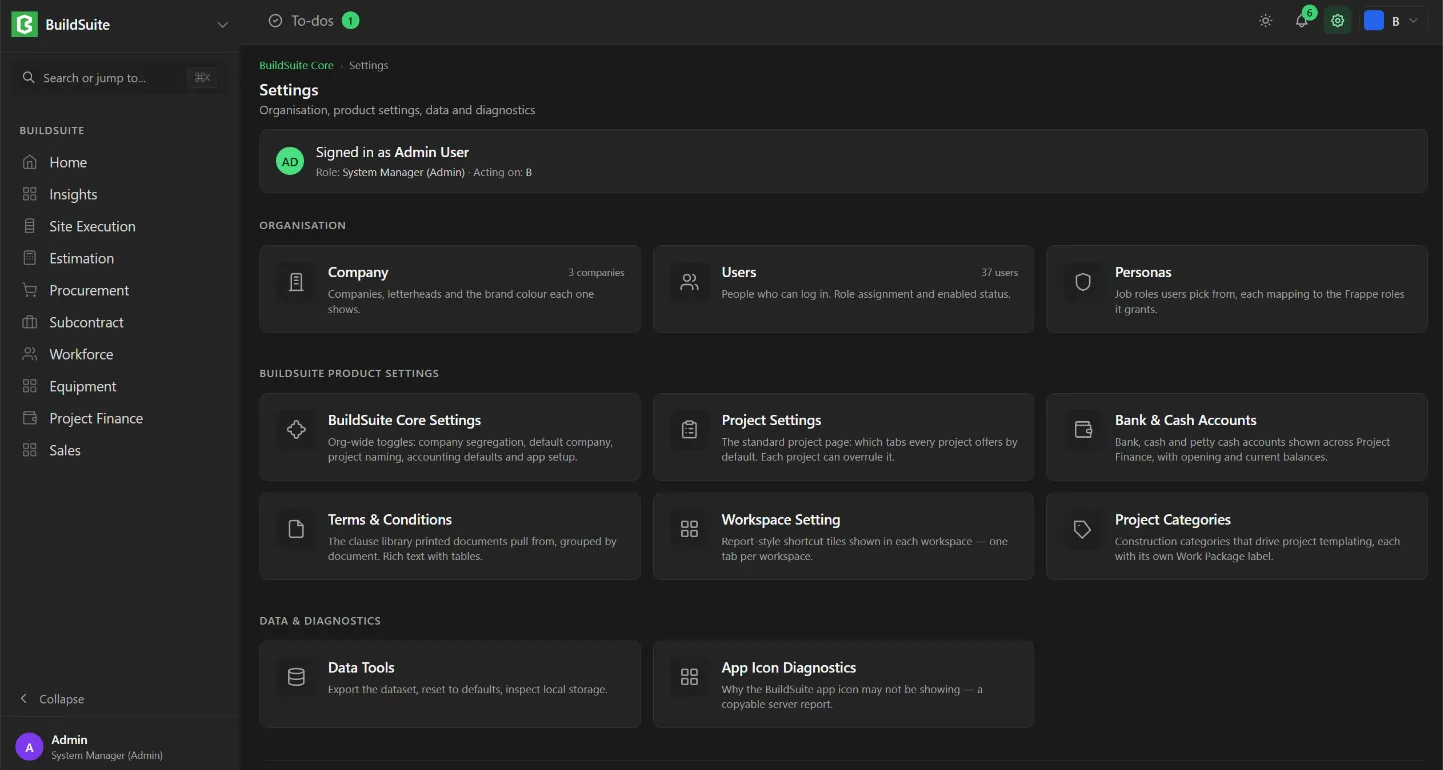
The top of the page shows who you’re signed in as, your role and the company you’re acting on. The settings are grouped as follows:
| Group | Settings |
|---|---|
| Organisation | Company · Users · Personas |
| BuildSuite product settings | BuildSuite Core Settings · Project Settings · Bank & Cash Accounts · Terms & Conditions · Workspace Setting · Project Categories |
| Diagnostics | App Icon Diagnostics |
Note: Date and currency formats, email, workflows, custom fields, print formats, naming series and the audit trail are managed in Frappe Desk, not here. See Settings managed in Frappe Desk.
Caution: Settings apply to every user on the site. Try changes on your test site first.