
Site execution workspace
What it contains
Site Execution is the workspace for running a project on site.
| Area | Used to |
|---|---|
| Projects | Create and manage projects and sub-projects |
| Work Packages | Group tasks into units of cost and control |
| Tasks | Plan, assign and track individual pieces of work |
| Task Progress Entries | Record progress against a task |
| Stage Planning | Plan the project in time-based stages and send them for approval |
| Schedule | View tasks and stages on a Gantt chart |
| Scope Change Orders | Raise and approve changes to the agreed scope |
Workspace page
The workspace page shows shortcut tiles to the areas above and the report tiles for this workspace. Each role sees only the shortcuts it can use. The shortcuts are configured in Workspace Structure Settings.
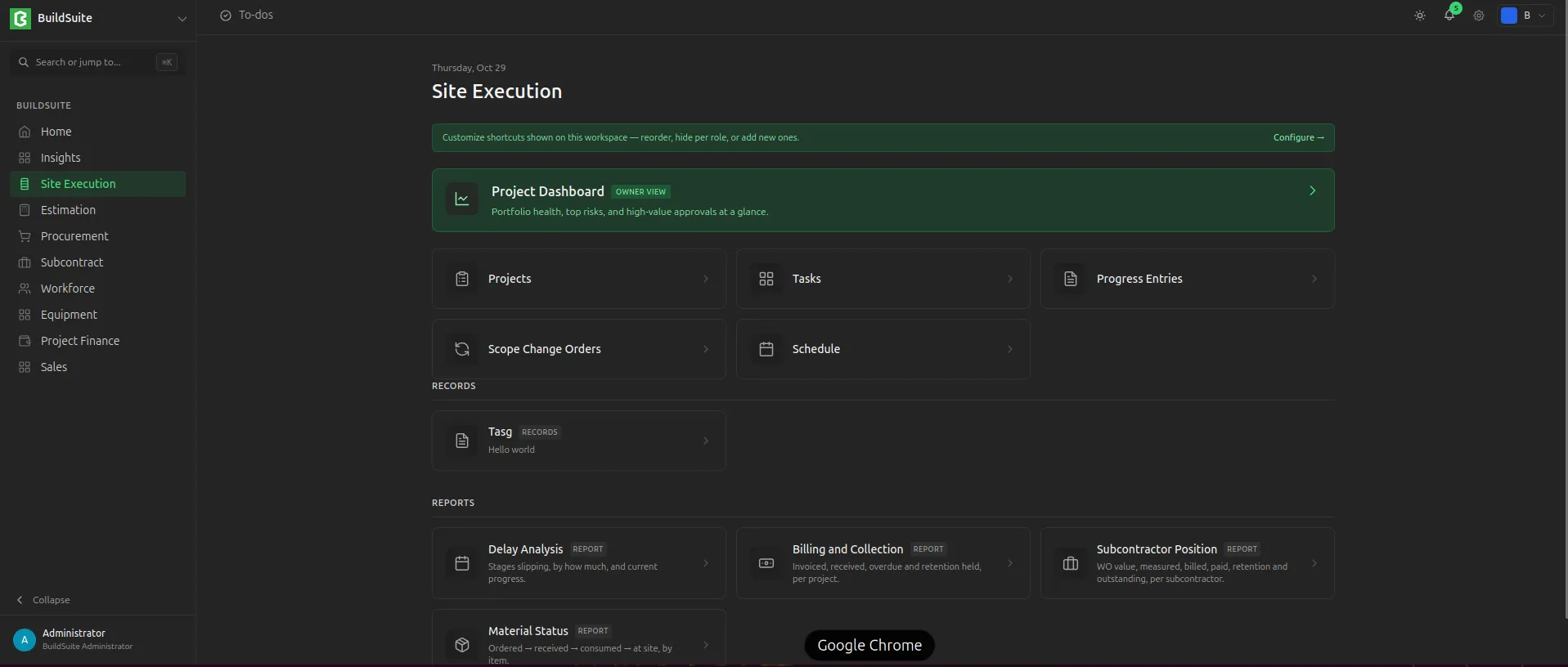 Site Execution Workspace
Project Dashboard
The Project Dashboard gives a portfolio view across projects. It shows:
- project health for each project
- top risks
- approvals waiting, highest value first
- spend by cost head
- recent site activity
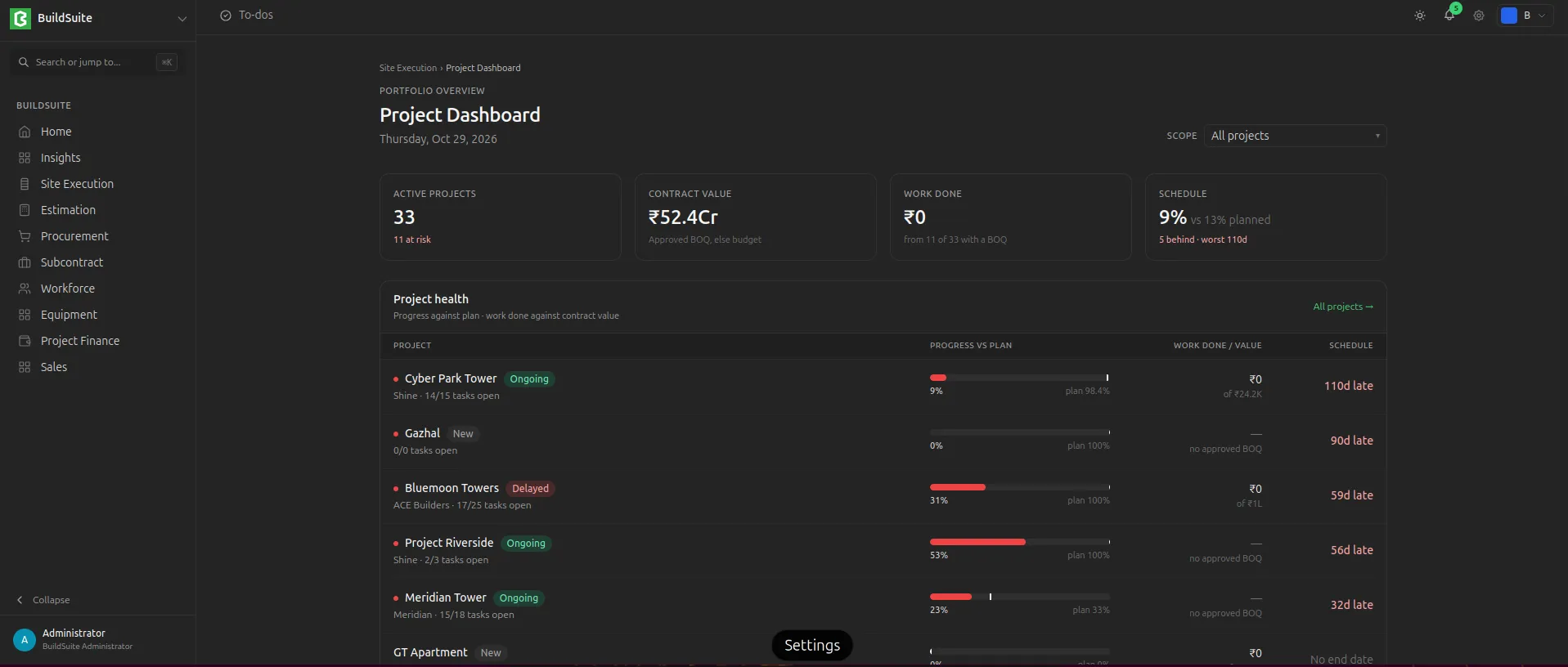 Site Execution Dashboard
Last updated 1 day ago
Was this helpful?