
An Expense records money spent on site for a project: what was bought, how much, which project and account it belongs to, and where the money came from. An expense counts in balances and reports only once it is Submitted.
Open it from: Project Finance → Expenses
Record an expense
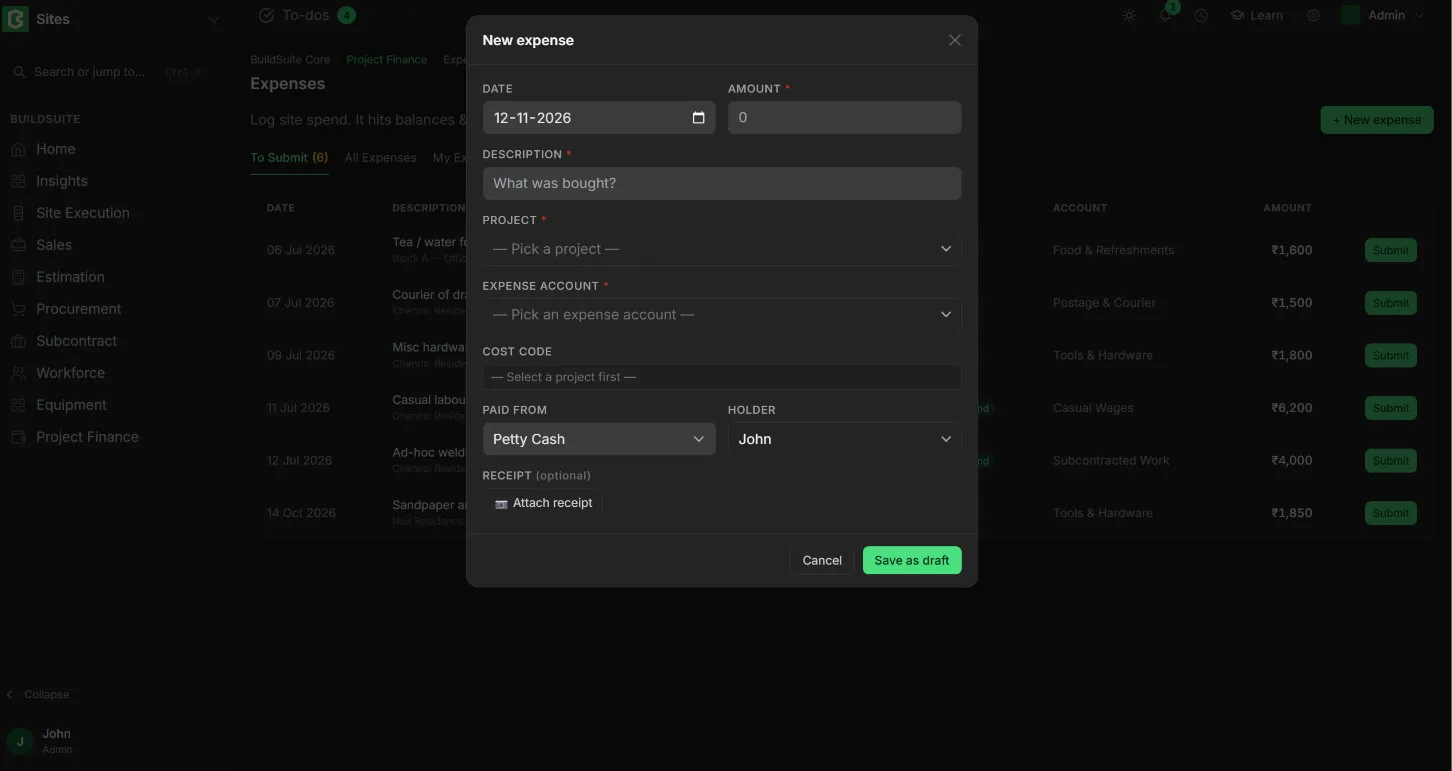
- Click + New expense.
- Enter the Date, Amount and Description (what was bought).
- Select the Project and Expense account, and pick a Cost code if the spend belongs to part of the estimate.
- Choose Paid from:
- Petty Cash: select the Holder whose float paid for it. It defaults to you.
- Company: select the Company account (bank or cash) that paid.
- Attach a photo of the receipt.
- Click Save as draft.
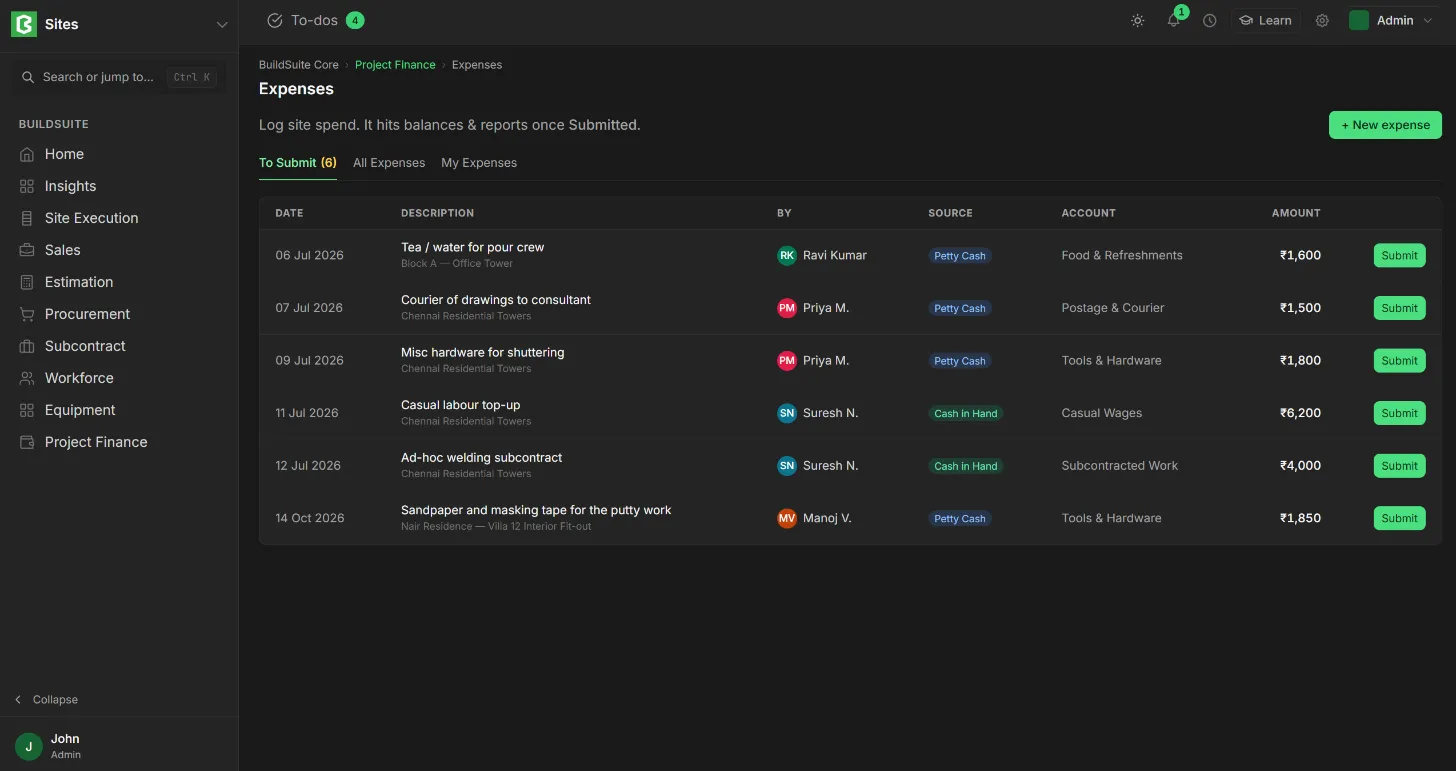
The expense then appears in To Submit. It is reviewed and submitted from there.
Fields
| Field | Mandatory | What it means |
|---|---|---|
| Date | Yes | When the money was spent. Default: today |
| Amount | Yes | The amount spent |
| Description | Yes | What was bought |
| Project | Yes | The project the spend is for |
| Expense account | Yes | The ledger account the cost posts to |
| Cost code | No | The BOQ group the spend belongs to. Select the project first |
| Paid from | Yes | Petty Cash or Company |
| Holder (petty cash float) | If Petty Cash | Whose float paid. Defaults to you |
| Company account | If Company | The bank or cash account that paid |
| Receipt | No | A photo of the bill or receipt |
Tip: If the holder paid with their own money, record the expense as Petty Cash anyway. Their balance goes negative (owed to them) and is settled on their next disbursement.
Tabs
To Submit lists drafts waiting to be submitted, All Expenses lists every expense, and My Expenses lists your own. Each row shows the date, description and project, the person, the source (Petty Cash or Company), the account, the amount and the status.
Status
- Draft: saved, not yet counted.
- Submitted: counted in account balances, the holder’s petty cash balance and the reports.
- Cancelled: reversed.
Rules
- A Petty Cash expense reduces the holder’s balance once it is submitted.
- A Company expense reduces the selected account directly.
- A coded expense counts as actual cost on its BOQ group.
- A submitted expense is corrected by cancelling it and recording a new one.