
A stage is a time-based phase of a project, such as Site Preparation or Structural Works. Stages show when work will happen and in what order. Each stage goes through an approval before it is final.
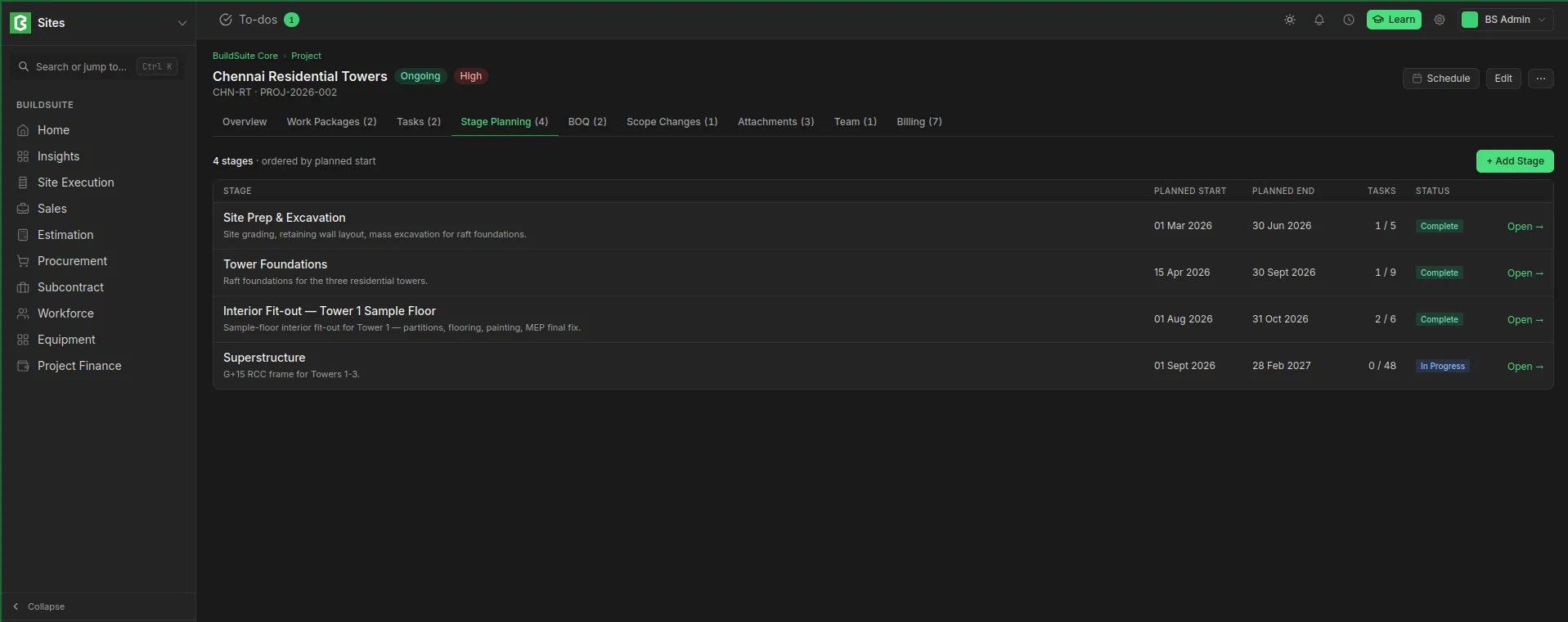 Stage planning under a project
Stage fields
| Field | Type | Mandatory | Notes |
| Stage Name | Text | Yes | |
| Project | Link: Project | Yes | Cannot be changed after the stage is created |
| Planned Start / End Date | Date | No | |
| Depends On | Links to other stages | No | Stages that must finish before this one starts |
| Description | Text | No | |
| Workflow State | Select | – | Draft / Pending Approval / Approved / Rejected (see 7.4) |
| Submitted By / On, Approved By / On | – | – | Filled automatically |
| Rejection Comment | Text | When rejecting |
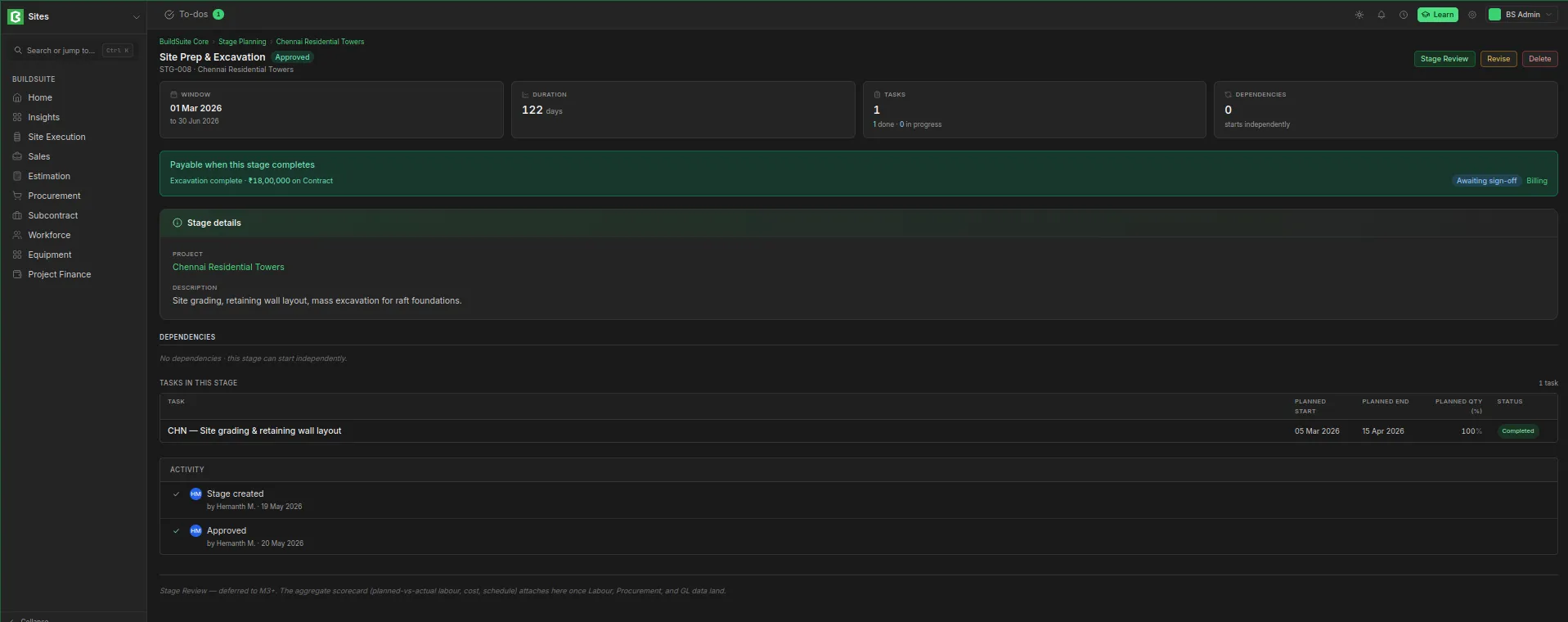 Detailed view of stage planning
Stage tasks
Tasks are added to a stage as rows. Each row has:
| Field | Notes |
| Task | The task, from the same project |
| Planned Start / End Date | When this part of the task happens in this stage |
| Planned Qty (%) | The share of the task that falls in this stage, 0–100. Default 100 (the whole task) |
A task that runs across two stages appears in both, with its share split between them. Removing a row only takes the task out of the stage; the task itself is not deleted. To change the task itself, open the task.
Stage dependencies
A stage can list the stages it depends on. Deleting a stage removes it from the dependency lists of the other stages.
Approval
| From | Action | To | Notes |
| Draft | Submit | Pending Approval | Records who submitted and when |
| Pending Approval | Approve | Approved | Only the approver (see below) |
| Pending Approval | Reject | Rejected | A rejection comment is required |
| Rejected | Edit | Draft | The first edit returns it to Draft |
| Approved | Revise | Draft | Needed before an approved stage can be changed |
Every action is kept in the stage's activity log.
Last updated 1 day ago
Was this helpful?