
A task is one piece of work on a project, such as Column Reinforcement. It belongs to a project and, optionally, to a work package.
Task types
The task type decides how the task's progress is recorded.
| Task type | Used for | How progress is recorded |
| Activity | Physical work: excavation, concreting, brickwork | Through task progress entries, as a percentage |
| Milestone | A key event: Foundation Completed, Handover Ready | Marked done or not done; no percentage |
| Inspection | A quality check or approval | Passed or Failed |
Task fields
| Field | Type | Mandatory | Notes |
| Task Name | Text | Yes | |
| Task Type | Select | Yes | See 6.1. Default Activity |
| Project | Link: Project | Yes | |
| Work Package | Link: Work Package | No | |
| Status | Select | Yes | Yet to start / In Progress / In delay / Completed / Blocked. |
| Priority | Select | Yes | Low / Medium / High / urgent |
| Assigned To | Link: Employee | No | The person responsible. Change it to reassign the task |
| Planned Start / End Date | Date | No | |
| Progress | Percent | – | Read-only. Taken from progress entries |
| Description | Text | No |
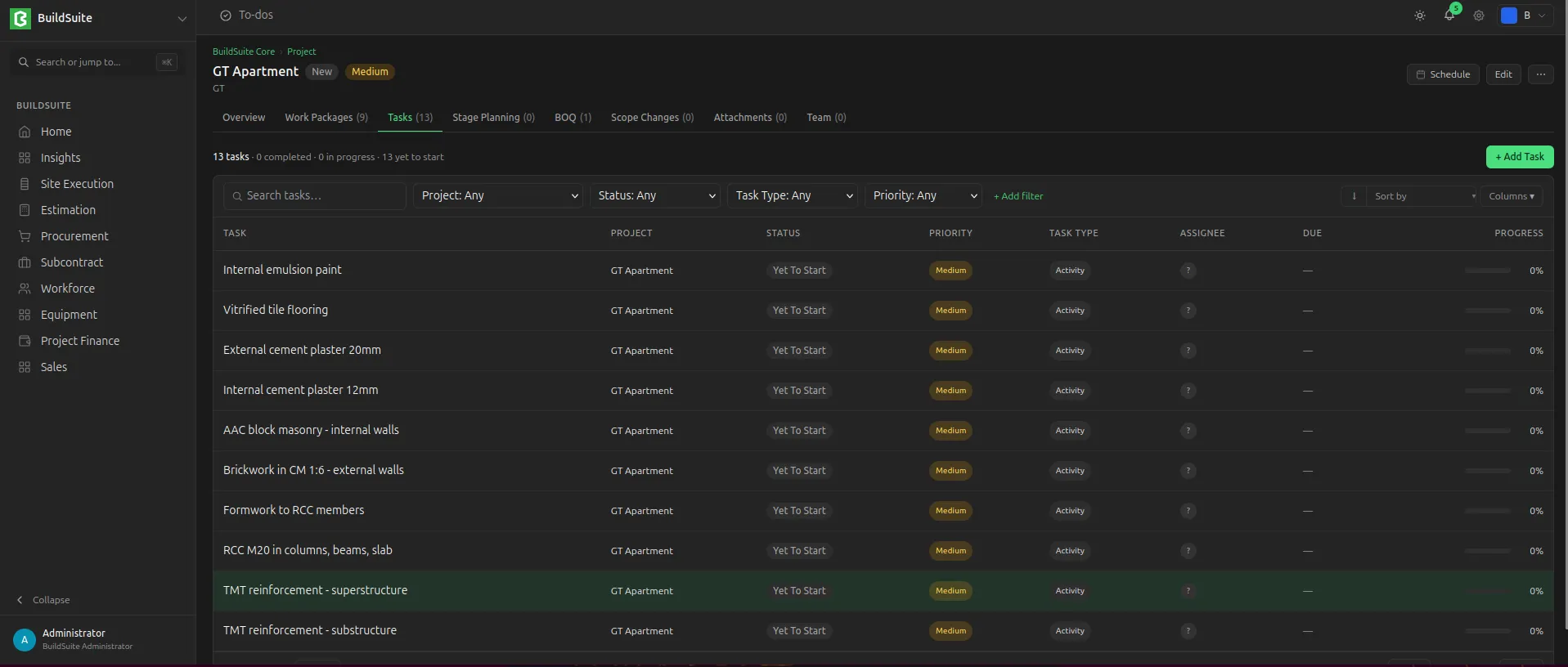 TaskList of Project
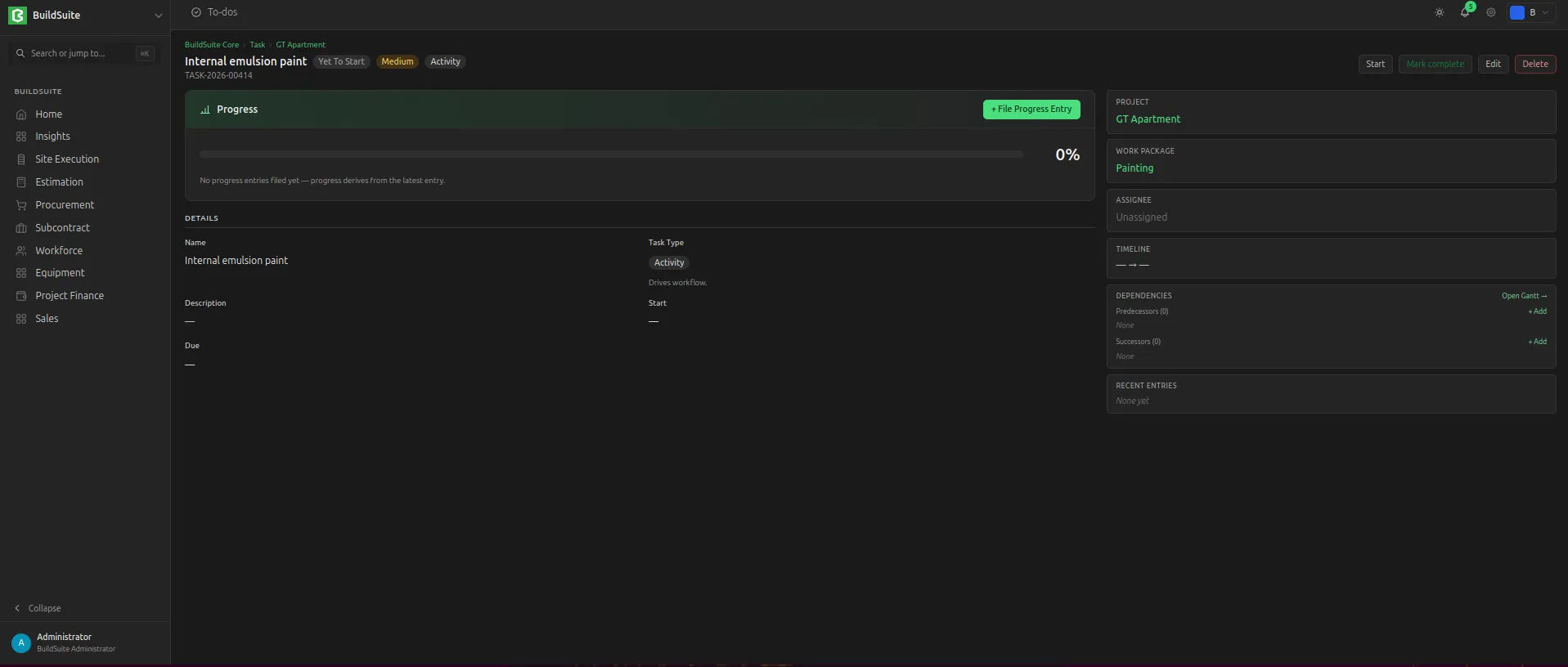 Detailed View of Task
To create a task, open the project (or the work package) and click Create Task, then choose the task type.
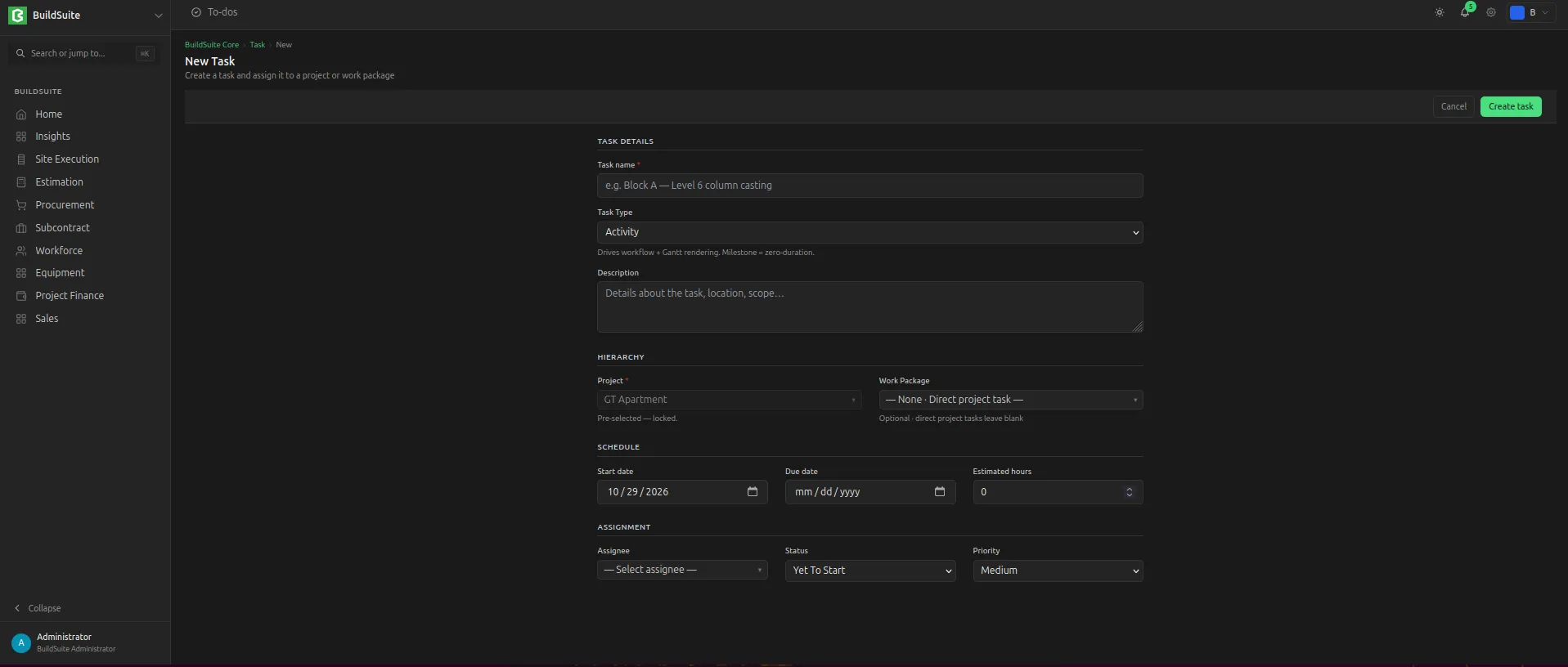 Create a new task
Task progress entries
A progress entry records the progress of a task on a given date, with notes and any blocker.
| Field | Type | Mandatory | Notes |
| Task | Link: Task | Yes | |
| Entry Date | Date | Yes | |
| Progress % | Percent | Yes | Cumulative: the total done so far, not the amount added today |
| Narrative |
Text | No | |
| Blocker | Check | No | |
| Blocker Notes | Text | If Blocker is ticked | |
| Updated By | Link: User | – | Filled automatically |
| Created On | Datetime | – | Filled automatically |
| Labour deployed today |
Text | No | Count of skilled workers and unskilled workers / helpers on site today |
| Weather |
Select | No | |
| Attachment | Upload | No | For site photos or any other attachments. |
Rules:
- The task's progress is the Progress % of its latest entry (by Progress Date; the last created wins on the same date). Entries are not added together.
- Adding, editing or deleting an entry recalculates the task's progress and status.
The task page lists all its entries in date order as the task's progress history.
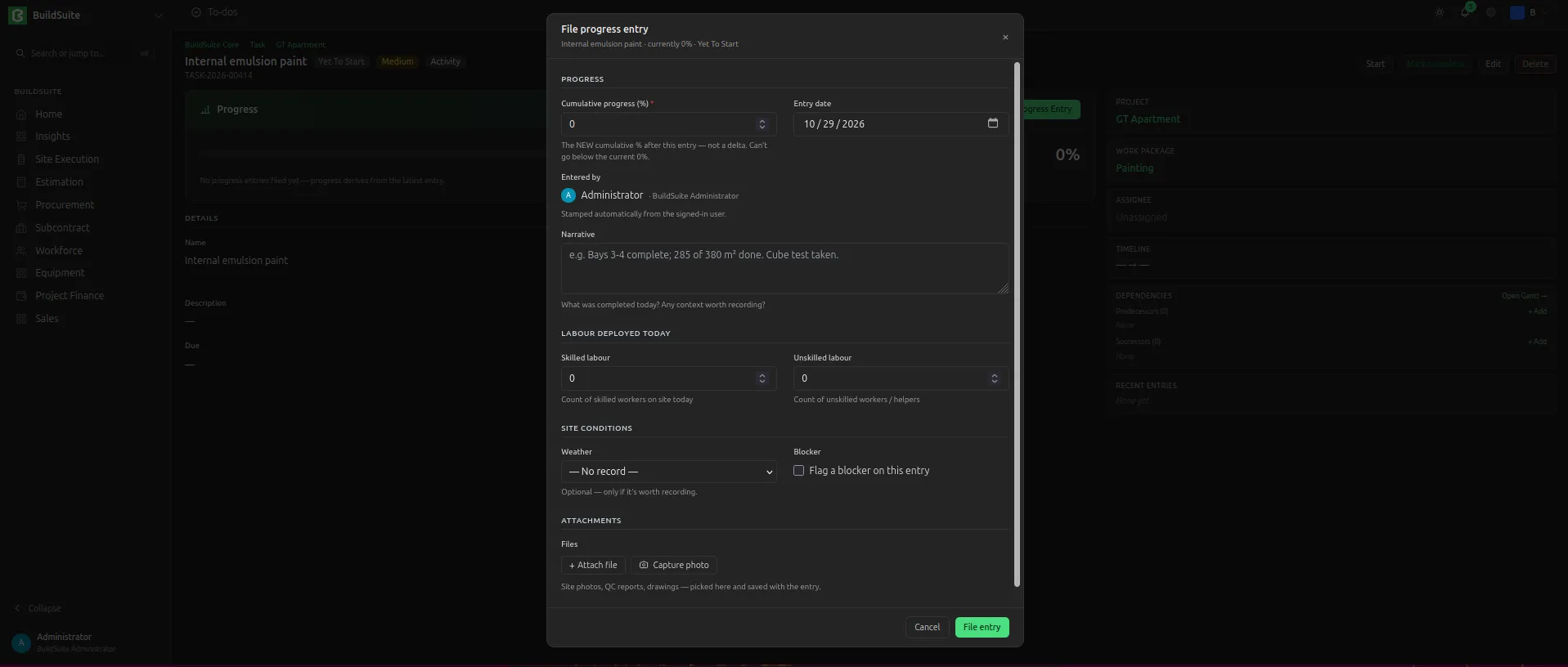 Add Task Progress Entry
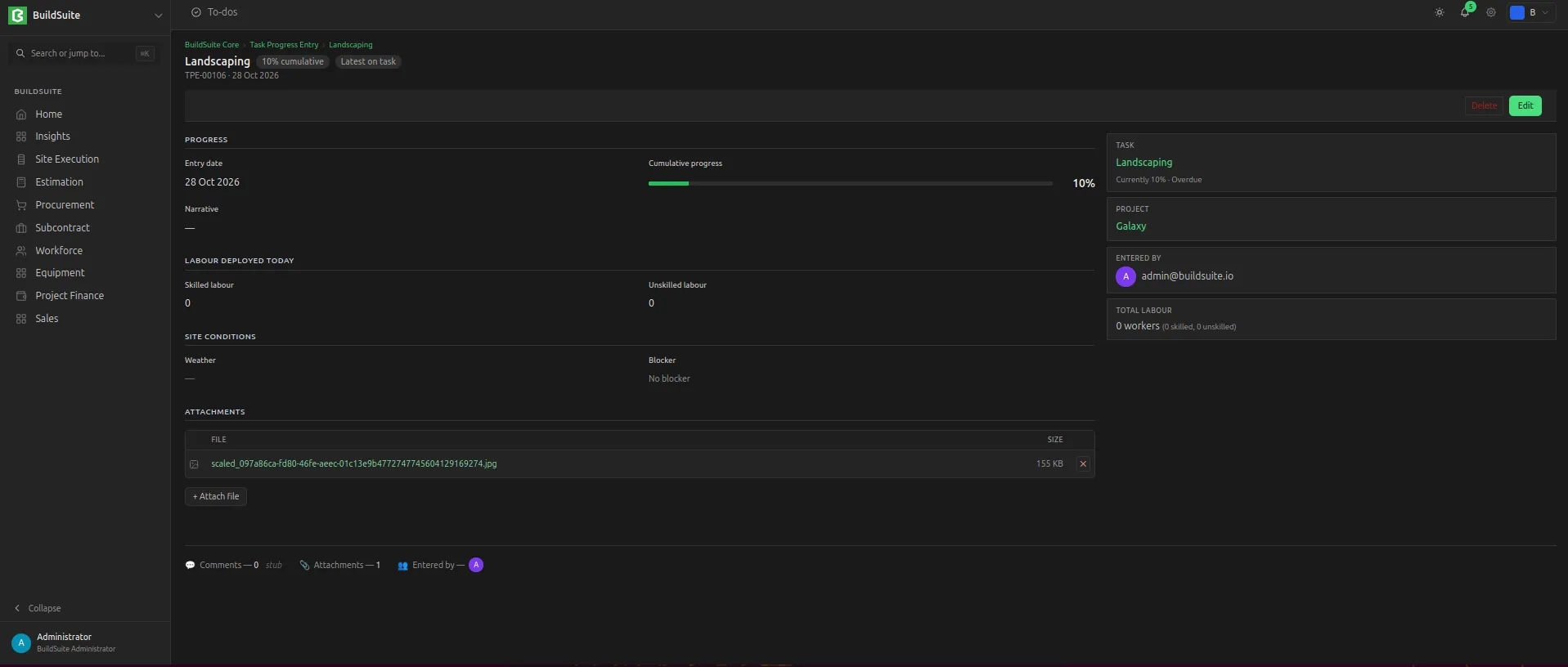 Progress Entry Detailed View
Last updated 1 day ago
Was this helpful?