
A work package groups related tasks into one unit of cost and control, such as Foundation Works or Electrical Works. It carries a budget, a responsible person and a progress figure.
Work packages and stages
A project is organized along two separate lines:
| Work Package | Stage | |
| Answers | What work is done, and what it costs | When the work happens |
| Used for | Budget, cost control, progress | Time phases, sequence, approval |
| Contains | Tasks | Task rows, each with its share of the task |
A task can belong to one work package and appear in one or more stages at the same time.
A work package is optional. A task can sit directly under a project; such a task is not counted in any work package budget.
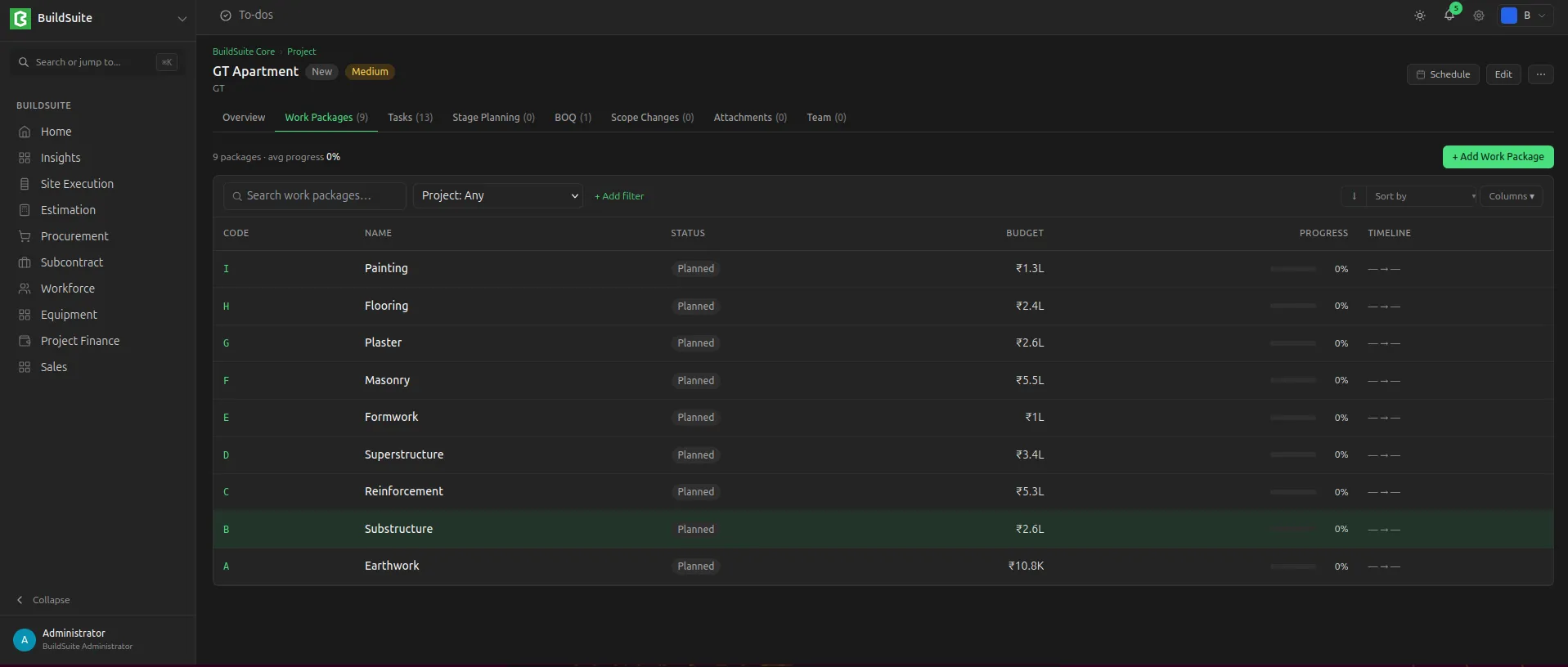 WorkPackage list under a project
Work package fields
| Field | Type | Mandatory | Notes |
| Work Package Name | Text | Yes | |
| Project | Link: Project | Yes | |
| Planned Start / End Date | Date | No | |
| Budget | Currency | No | |
| Status | Select | Yes | Planned / In Progress / On Hold / Completed. (Default: planned) |
| Progress | Percent | – | Read-only. Simple average of its tasks |
The work package page shows its tasks and its progress.
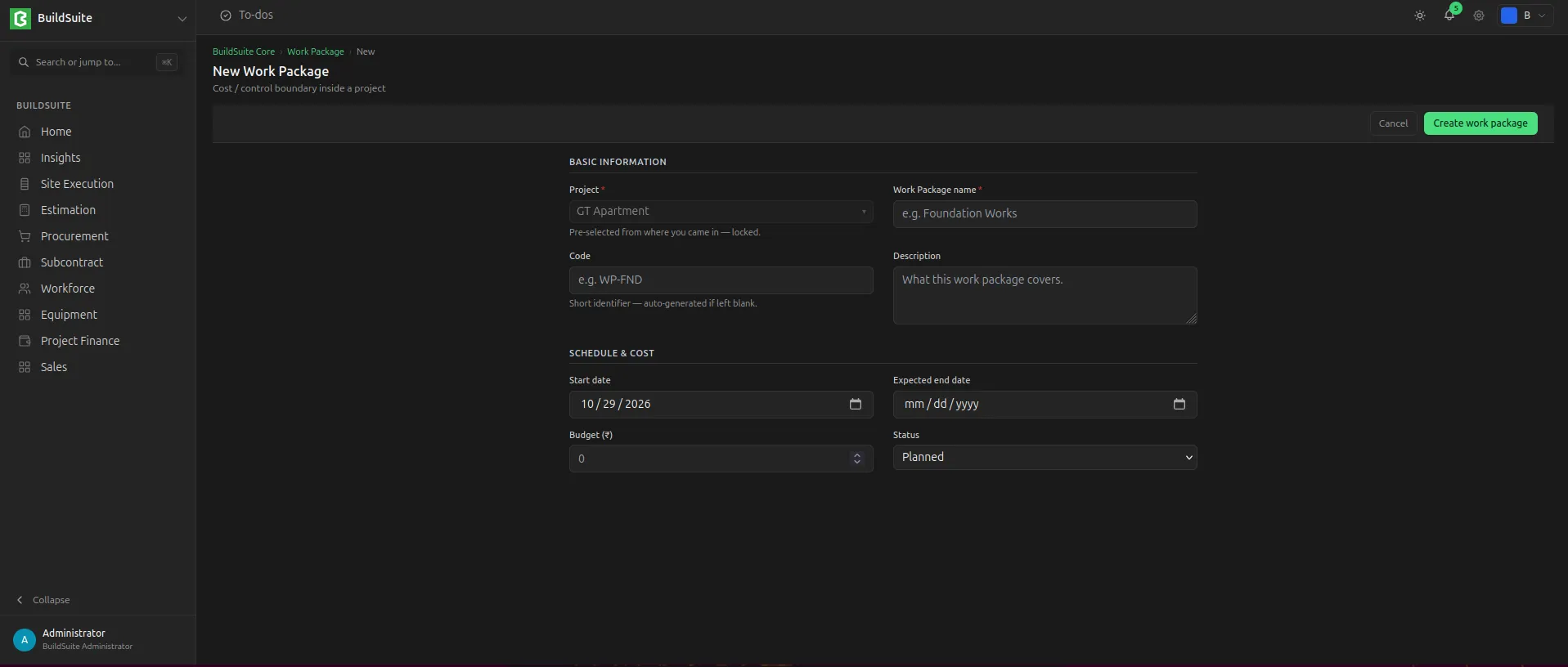 Create new WorkPackage
Last updated 1 day ago
Was this helpful?