
Petty cash is a small amount of company money given to a site employee (the holder) for day-to-day project spending. The holder records what they spend as Expenses, and BuildSuite tracks how much each holder still has, or is owed.
Open it from: Project Finance → Petty Cash
How it works
Request → Disburse → Spend (Expenses) → Balance
- The employee requests an amount and states the purpose.
- The Accountant disburses it from a bank or cash account.
- The holder records each spend as an Expense paid from Petty Cash.
- The holder’s balance is the amount disbursed less the expenses submitted.
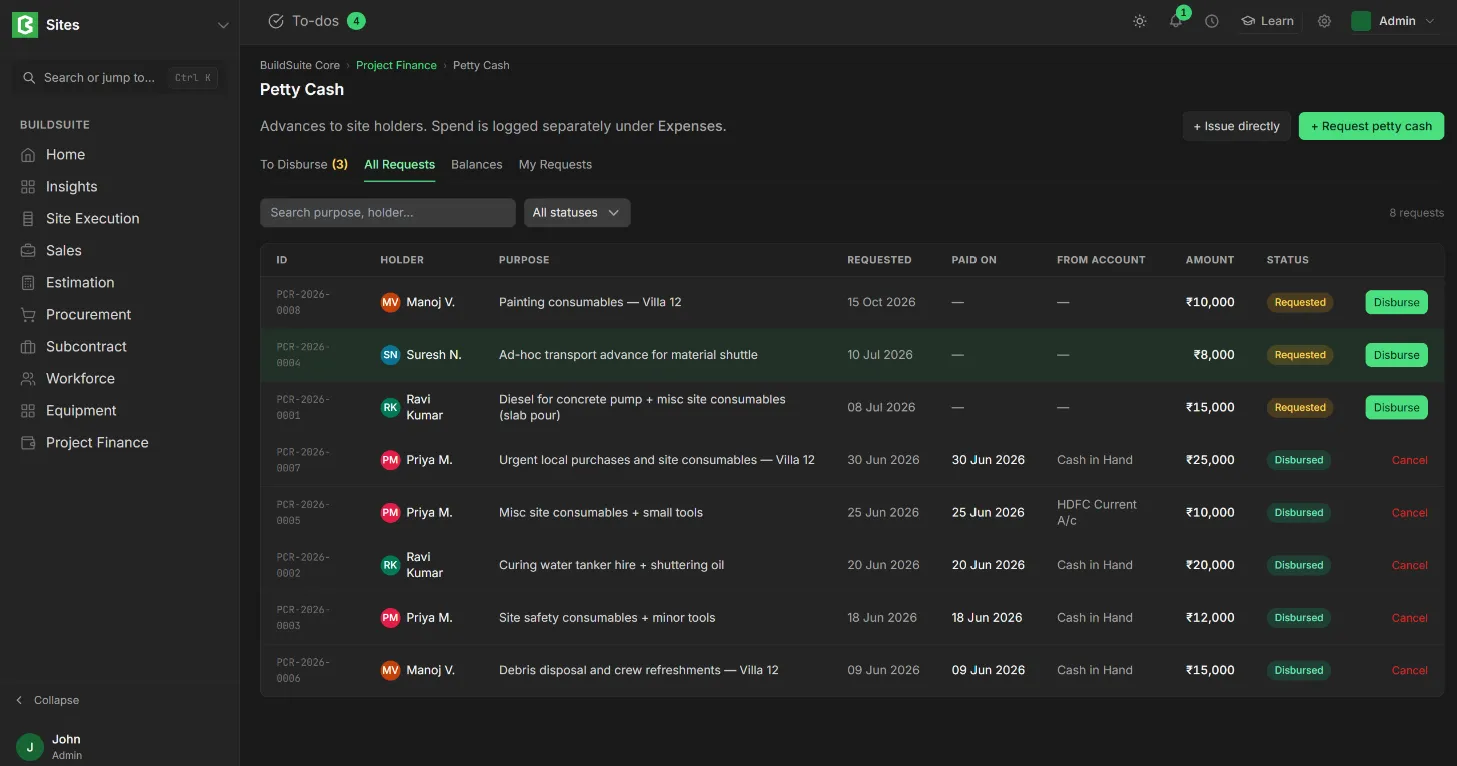
Request petty cash
- Click + Request petty cash.
- Enter the Amount and the Purpose.
- Click Request. The request is saved as Requested, and you are its holder.
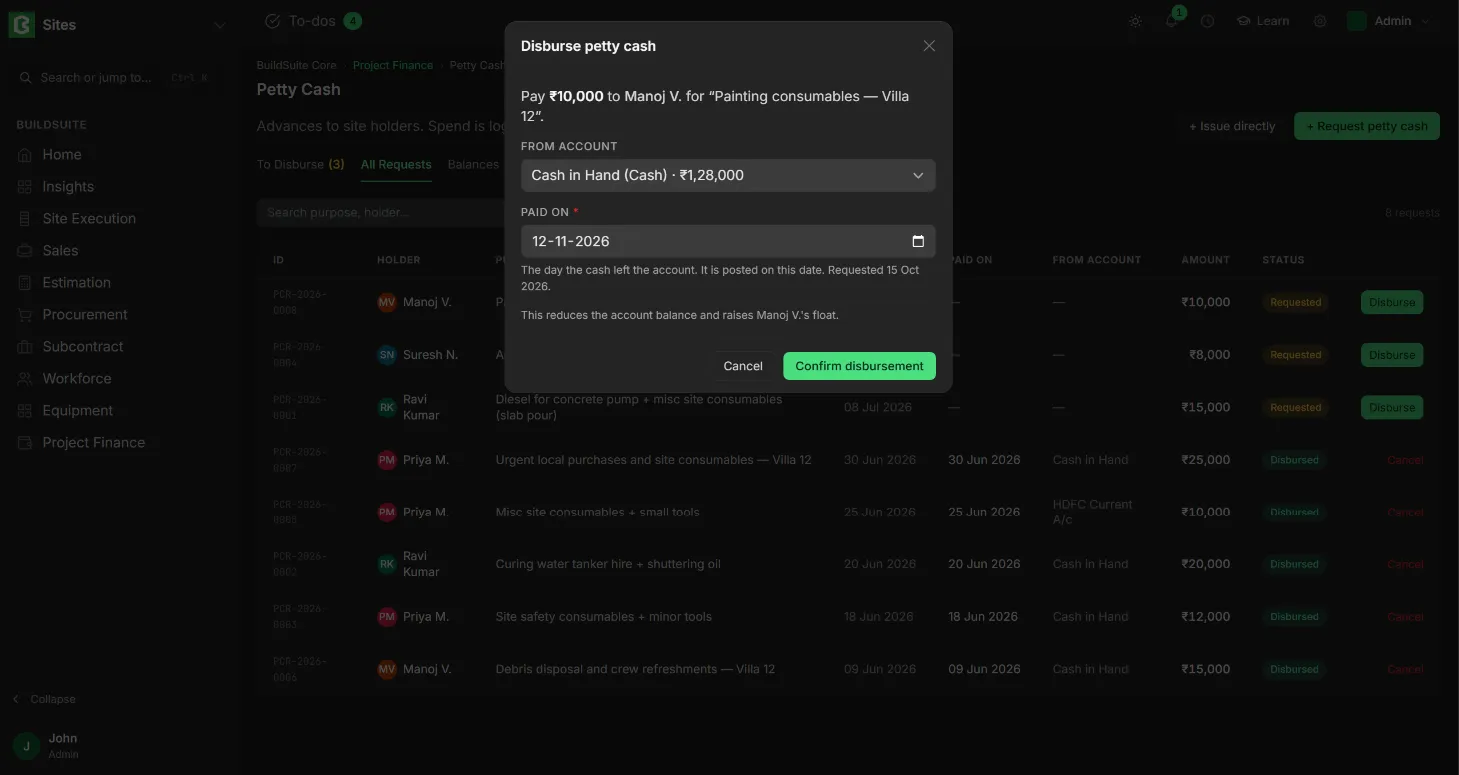
Disburse a request
- Open the To Disburse tab and click Disburse on the request.
- Choose the From account that the cash comes from. The dialog shows the account’s balance.
- Select Paid on date; dafualt is today.
- Click Confirm disbursement. The amount leaves that account and is added to the holder’s float, and the request becomes Disbursed.
Issue petty cash directly
Use + Issue directly when cash has already been handed over before anyone could raise a request.
- Click + Issue directly.
- Select who to Issue to, and enter the Amount, From account, Paid on and Reason.
- Click Issue float. The record is tagged DIRECT in the list.
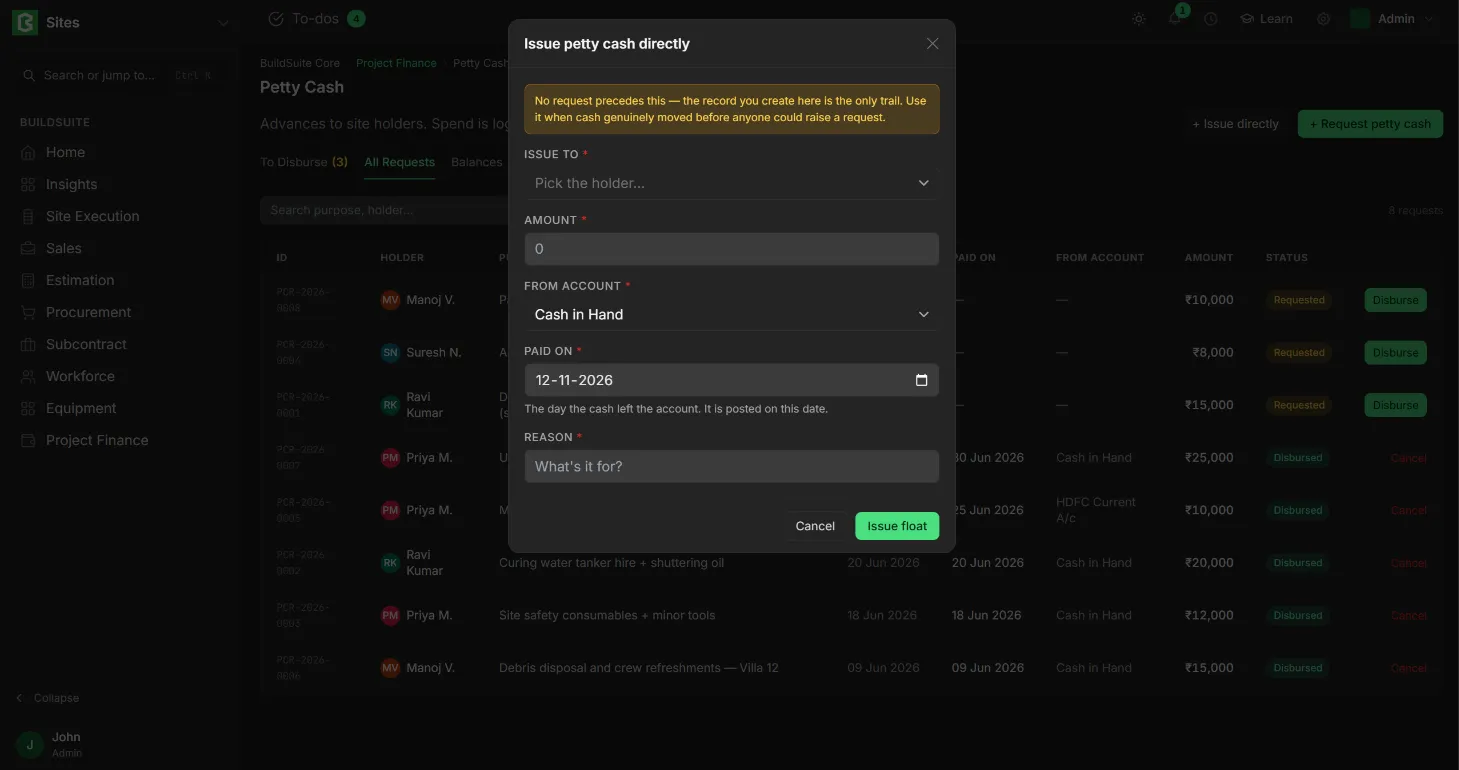
Note: No request comes before a direct issue, so this record is the only trail. Use it only when the cash really did move first.
Tabs
- To Disburse: requests waiting for the money.
- All Requests: every request, with its ID, holder, purpose, date, account paid from, amount and status. You can filter by status.
- Balances: each holder’s Disbursed total, Submitted spend and Balance, with a link to their report.
- My Requests: your own requests.
Status
| Status | What it means | Actions |
|---|---|---|
| Requested | Waiting for the money | Disburse, Cancel |
| Disbursed | Paid to the holder | Cancel (reverses the payment) |
| Cancelled | No longer valid | — |
Rules
- Balance in hand = Disbursed − Submitted expenses. It is worked out by the system, not typed in.
- Draft expenses don’t reduce the balance. Only submitted ones do.
- A negative balance means the holder paid with their own money. It shows as “owed to holder” in red and is cleared on their next disbursement.
- Only roles with permission can disburse or issue directly.
Last updated 1 day ago
Was this helpful?