
Field Attendance is the daily attendance sheet for one project. The list shows each sheet’s ID, Project, Date, number of Employees and Status. In a single sheet you record which workers came, which were absent or on half day, any overtime, and which cost code their work belongs to. When the sheet is submitted, BuildSuite posts the attendance, works out the labour cost and charges it to the project’s estimate.
Open it from: Sidebar → Workforce → Field Attendance
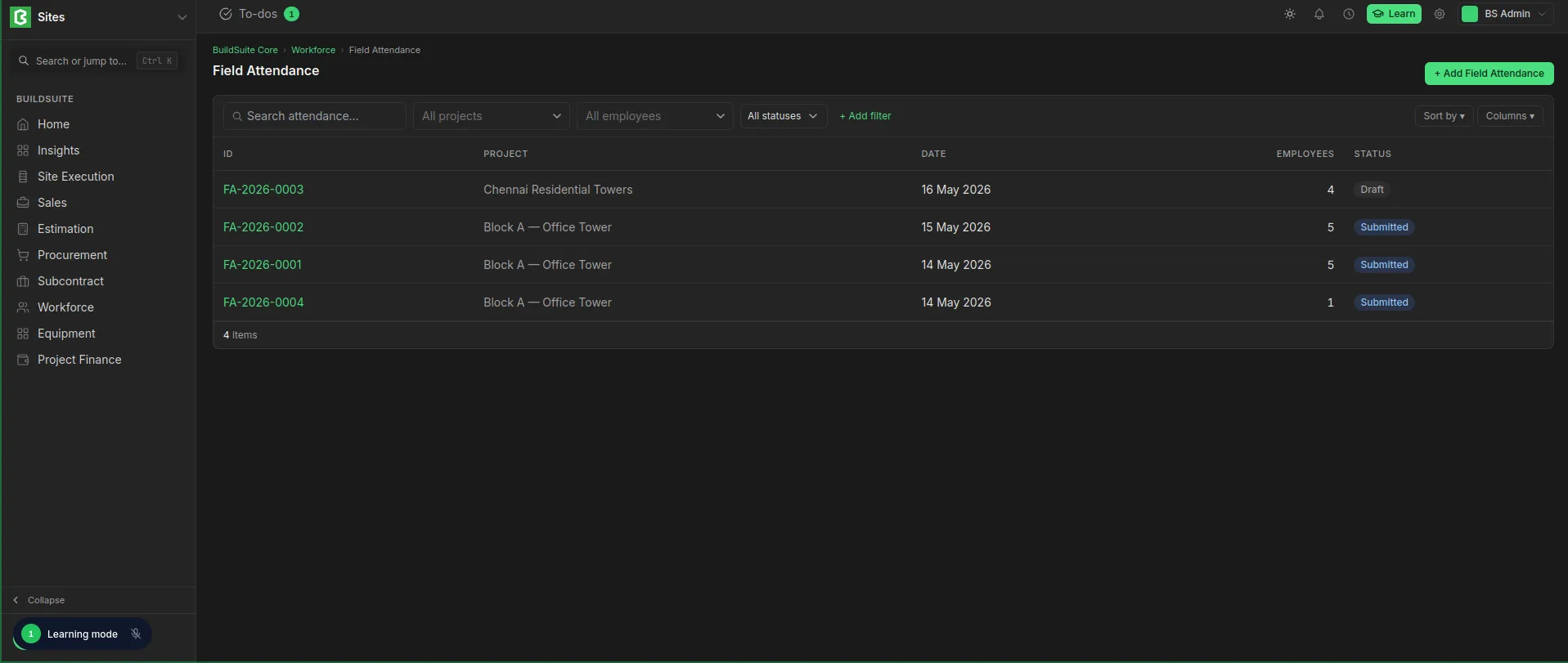 Field Attendance list
Before you begin
- The workers must exist as Field Employees and should be allocated to the project.
- For labour cost to reach the estimate, the project’s BOQ must have cost codes.
- You need a role with permission to create and submit attendance. See Roles and permissions.
Create a Field Attendance sheet
- Open Field Attendance and click + Add Field Attendance.
- Select the Project and the Date.
- Add the workers. You can bring in every worker allocated to the project in one click, or add them one by one.
- For each worker, set the Status, any OT Hrs and the Cost Code, and add a comment if needed (for example “Left early”).
- Save the sheet. It is saved as Draft.
- Check the sheet and click Submit.
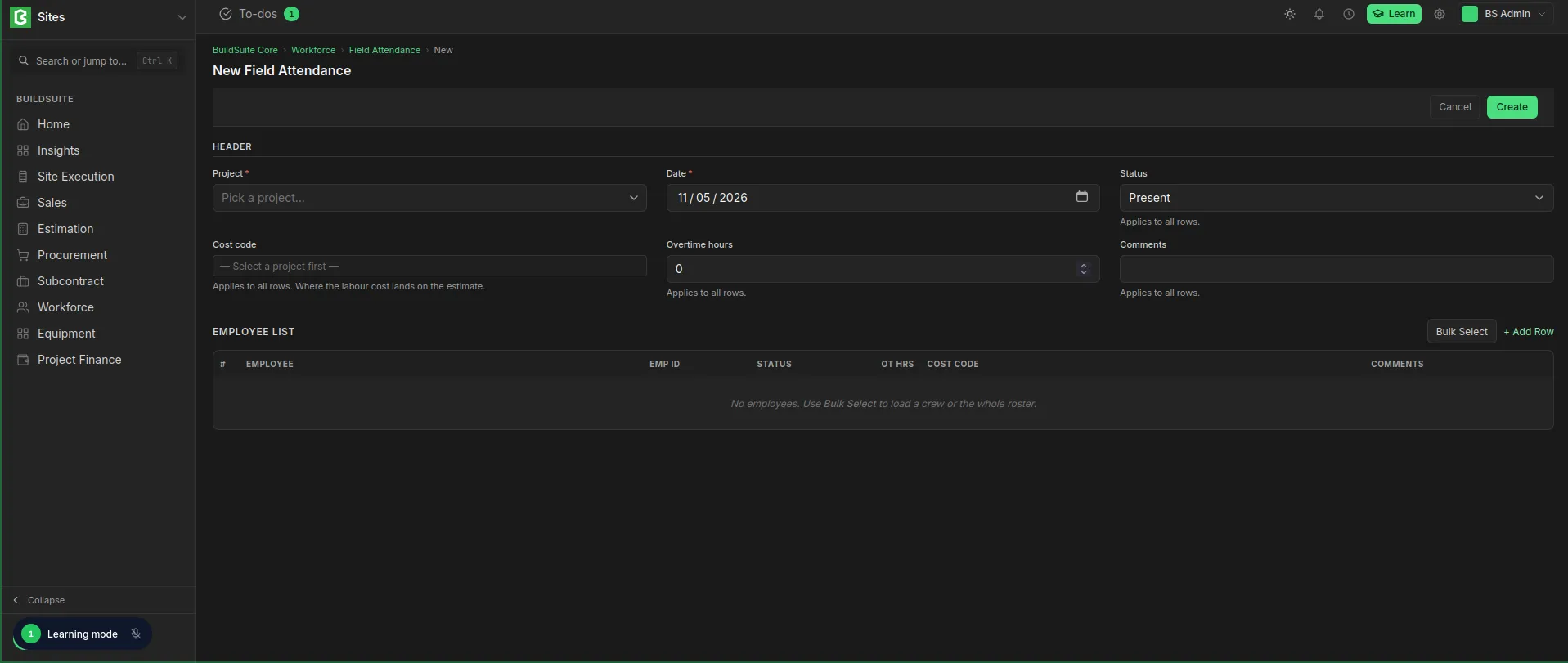 Field Attendance Creation
The attendance sheet
Summary cards
| Card | What it shows |
|---|---|
| Project | The project the sheet is for |
| Cost Code | The cost code of the work done. Shows Not coded if no cost code is set |
| Present | Workers present out of workers on the sheet, for example 4 / 5 |
| Labour Cost | The wages for this sheet, including overtime |
Employee list
| Column | What it means |
|---|---|
| Employee, Emp ID | The worker |
| Status | Present, Half Day or Absent |
| OT Hrs | Overtime hours worked that day |
| Cost Code | The BOQ cost code the worker’s labour is charged to |
| Comments | A note on the worker’s day, for example “Left early” |
Status and actions
| Status | What it means | Actions |
|---|---|---|
| Draft | Saved, not yet posted | Edit, Submit, Delete |
| Submitted | Attendance and labour cost are posted. The sheet can no longer be edited | Cancel |
| Cancelled | The posting is reversed | Amend to correct it |
What happens when you submit
- The Labour Attendance and Overtime Attendance registers are created from the sheet.
- The labour cost of each row is posted to the estimate’s Actual under that row’s cost code.
- Rows with no cost code are still recorded in attendance, but their cost does not reach the BOQ Actual. Before you submit, the sheet warns you how many rows have no cost code.
Tip: Always set a cost code before submitting. Otherwise the project’s actual labour cost will be understated.
Correcting a sheet
The Labour and Overtime Attendance records come from the sheet and can’t be edited on their own. To correct a submitted sheet, Cancel it, amend it and submit it again.
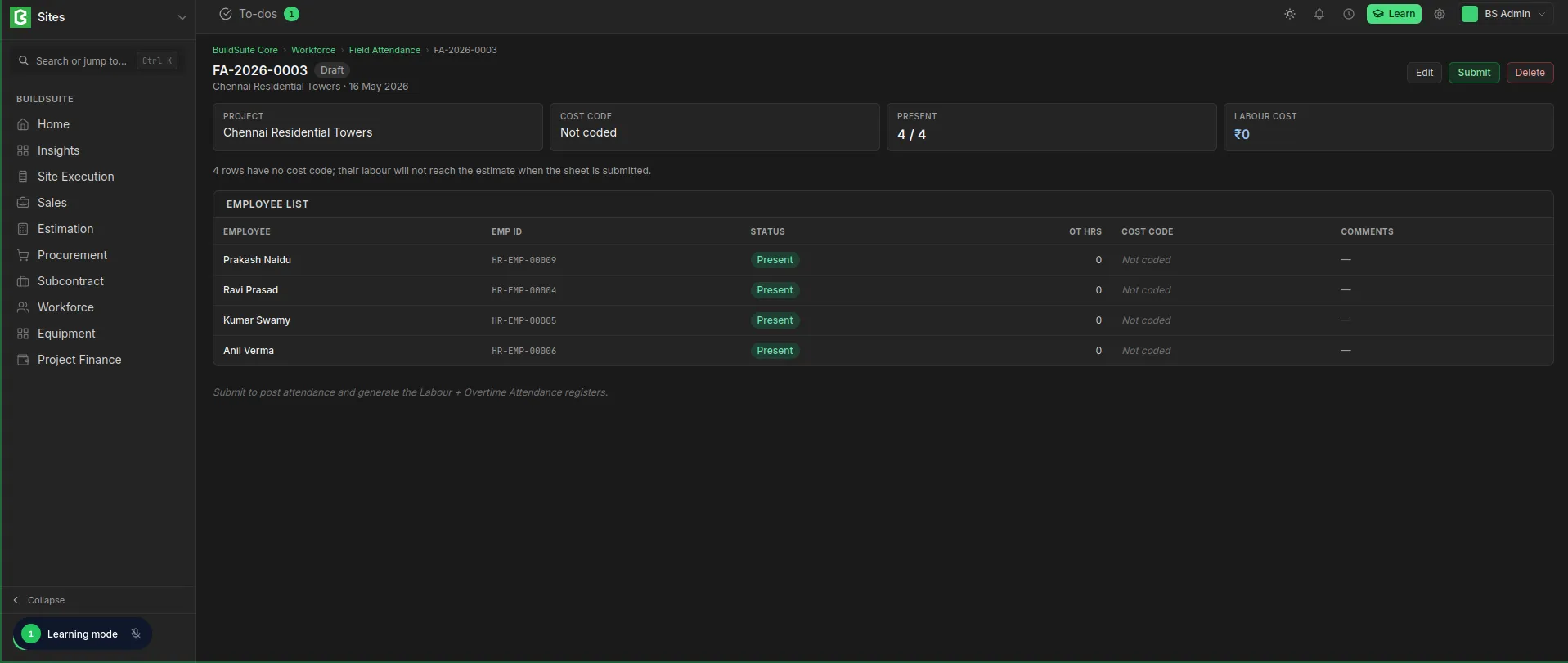 Field Attendance Detailed View