
Material consumption
Material Consumption issues material out of a project’s site stock when it is used. Each entry can be booked to a cost code, so the material is costed against the BOQ.
Open it from: Procurement → Material Consumption
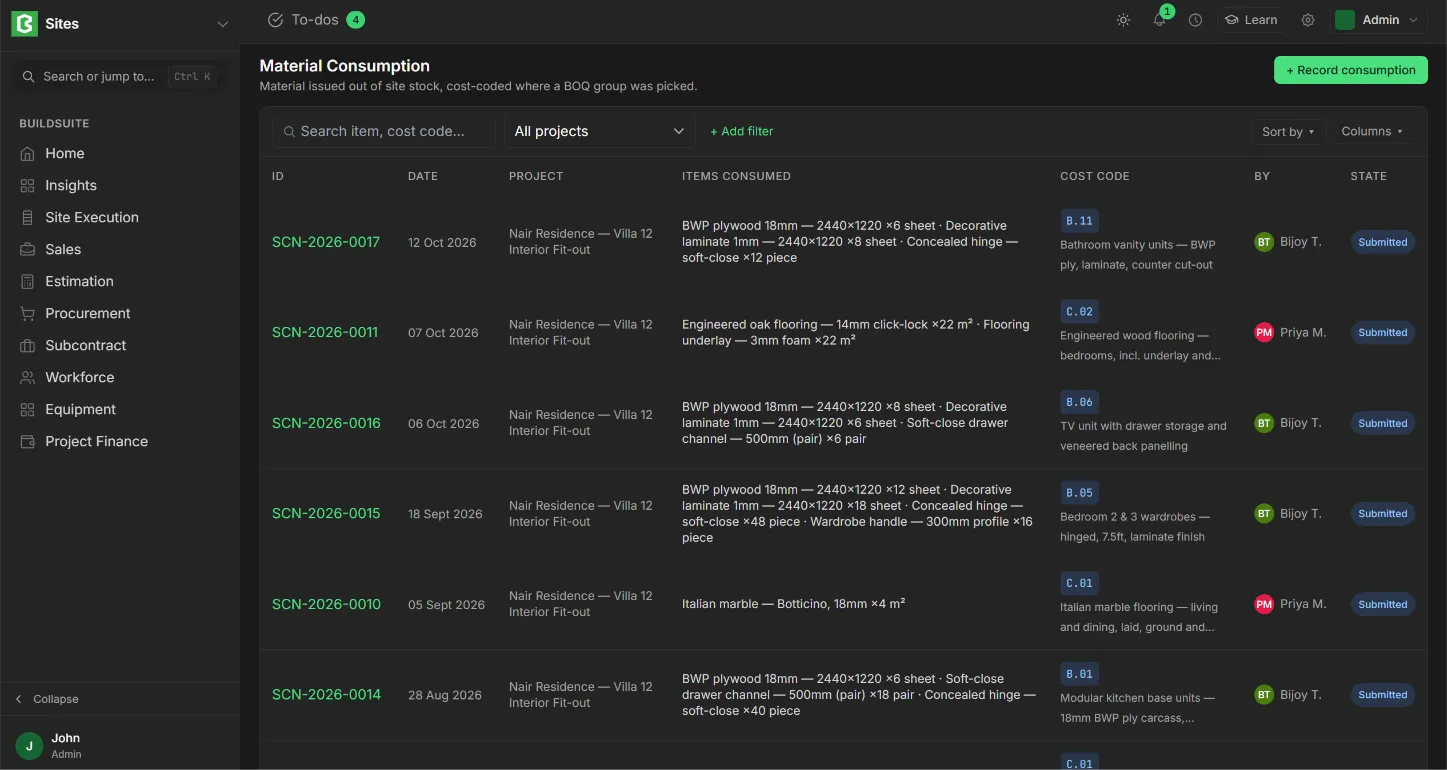
Material Consumption list
The list shows each entry’s ID, Date, Project, Items consumed (each with its quantity), Cost code, who recorded it (By) and its State. You can filter by project.
Record consumption
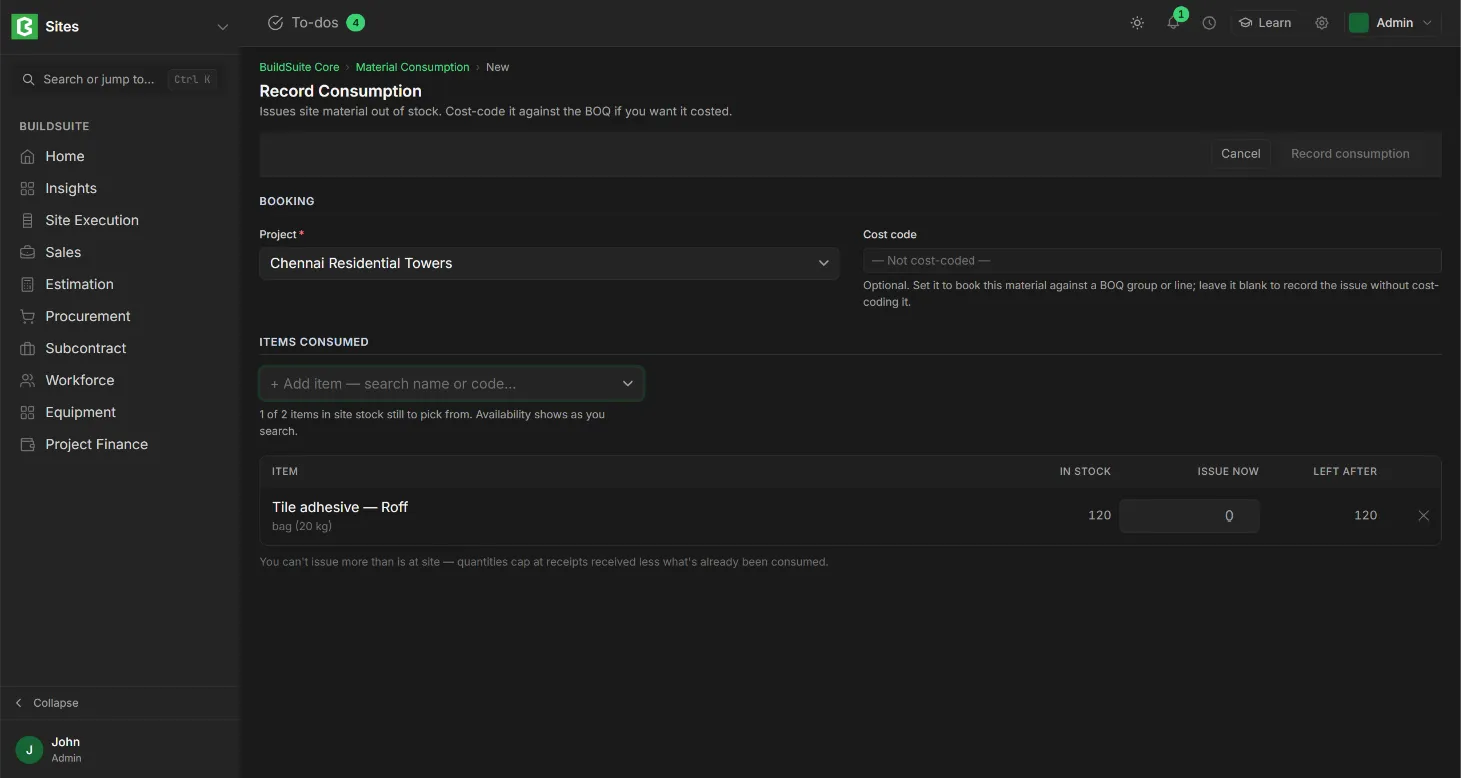
- Click + Record consumption.
- Select the Project.
- Select a Cost code to book the material against a BOQ group or line. Leave it blank to record the issue without costing it.
- Add each item and the quantity consumed.
- Click Record consumption. It is saved as Draft.
- Click Submit to deduct the material from site stock.
The consumption page
The page shows the entry type (Material Issue), the date, the Project, the Cost code (or “Not cost-coded”) and who recorded it, followed by each item with its quantity and UOM. On a draft, the actions are Edit, Delete and Submit.
Status
Draft (nothing deducted yet), Submitted (deducted from site stock) and Cancelled (reversed).
Rules
- One entry is booked to one cost code. If material is used for two BOQ groups, record two entries.
- Only submitted entries reduce Material at site and appear in Consumption by cost code.
- An uncoded entry is still issued from stock, but its cost stays outside the estimate.
Last updated 1 day ago
Was this helpful?