---
title: "Tasks"
space: "BuildSuite Core"
url: "https://wiki.buildsuite.io/core/site-execution-workspace/tasks"
updated: "2026-11-16"
---
A task is one piece of work on a project, such as Column Reinforcement. It belongs to a project and, optionally, to a work package.
---
### **Task types**
The task type decides how the task's progress is recorded.
| | | |
| ------------- | ------------------------------------------------- | ---------------------------------------------- |
| **Task type** | **Used for** | **How progress is recorded** |
| Activity | Physical work: excavation, concreting, brickwork | Through task progress entries, as a percentage |
| Milestone | A key event: Foundation Completed, Handover Ready | Marked done or not done; no percentage |
| Inspection | A quality check or approval | Passed or Failed |
---
### **Task fields**
| | | | |
| ------------------------ | ------------------ | ------------- | ------------------------------------------------------------ |
| **Field** | **Type** | **Mandatory** | **Notes** |
| Task Name | Text | Yes | |
| Task Type | Select | Yes | See 6.1. Default Activity |
| Project | Link: Project | Yes | |
| Work Package | Link: Work Package | No | |
| Status | Select | Yes | Yet to start / In Progress / In delay / Completed / Blocked. |
| Priority | Select | Yes | Low / Medium / High / urgent |
| Assigned To | Link: Employee | No | The person responsible. Change it to reassign the task |
| Planned Start / End Date | Date | No | |
| Progress | Percent | – | Read-only. Taken from progress entries |
| Description | Text | No | |
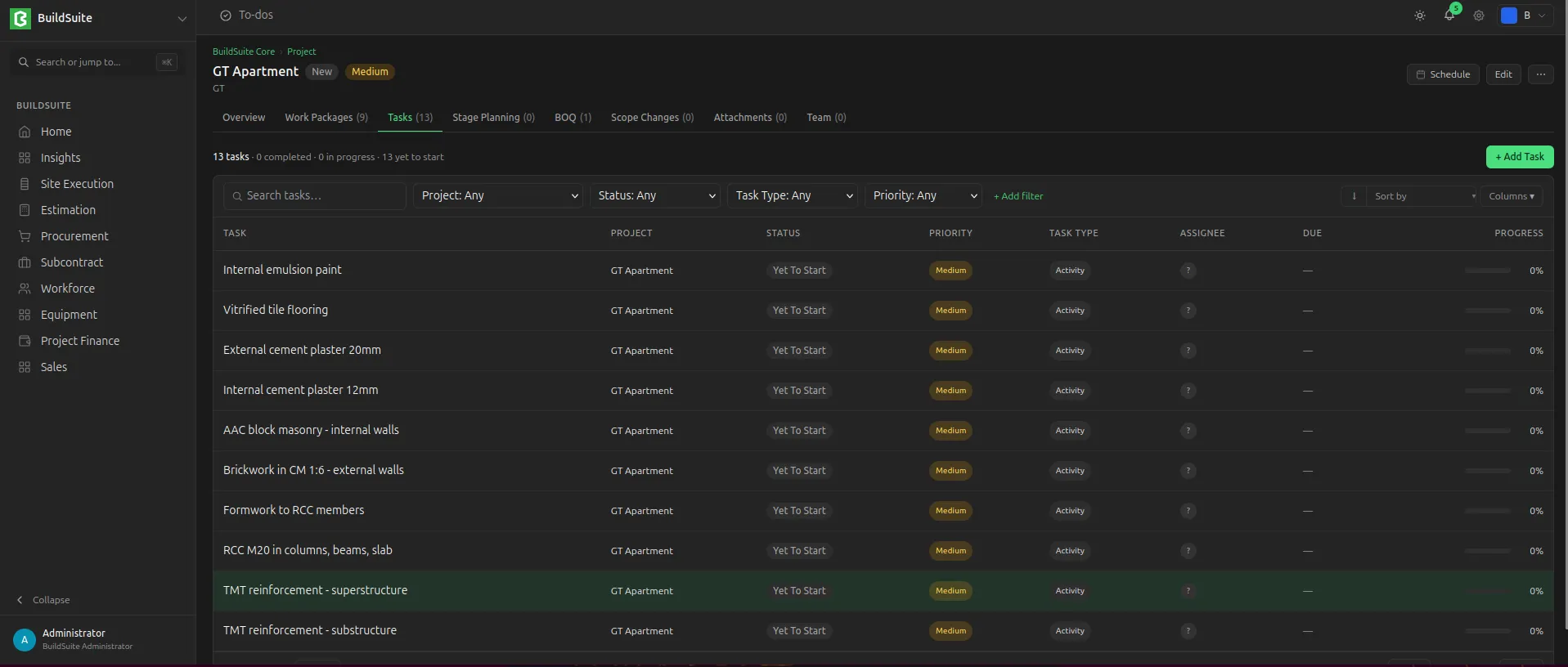
*TaskList of Project*
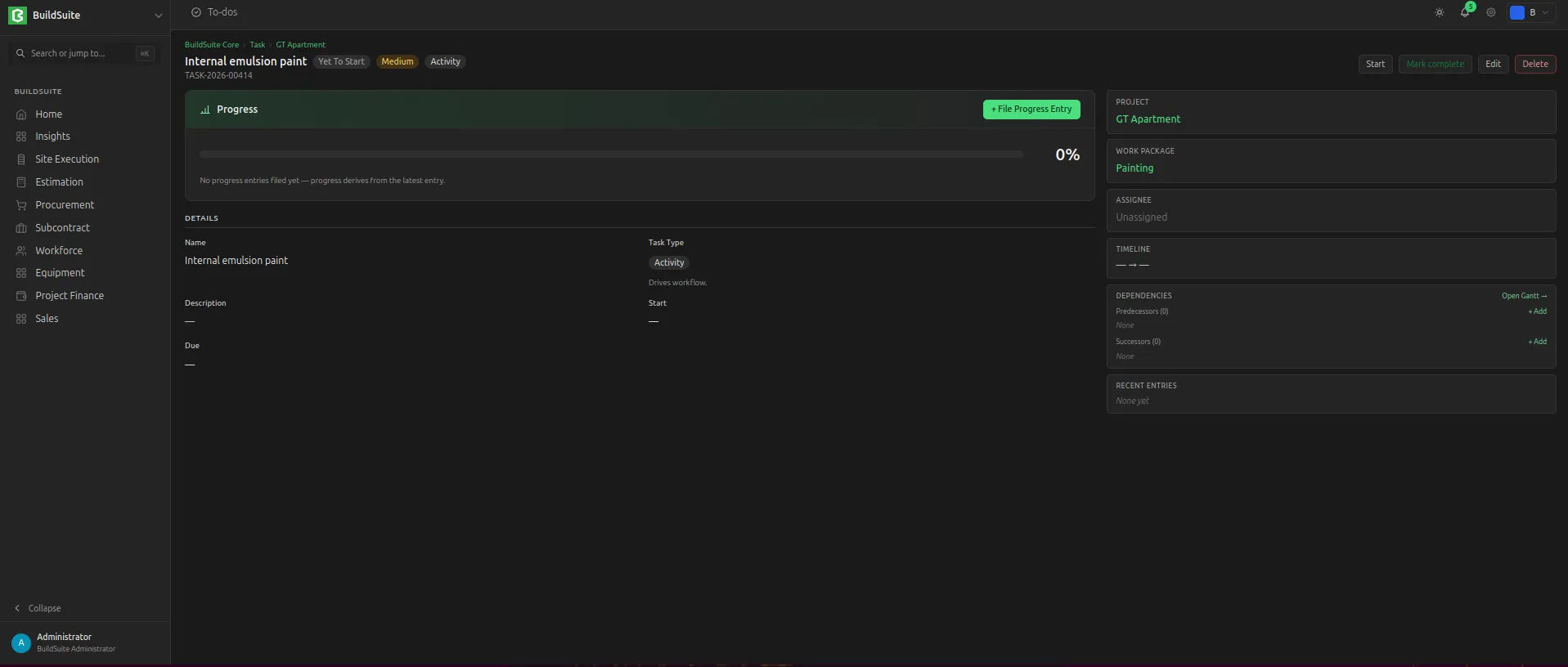
*Detailed View of Task*
To create a task, open the project (or the work package) and click **Create Task**, then choose the task type.
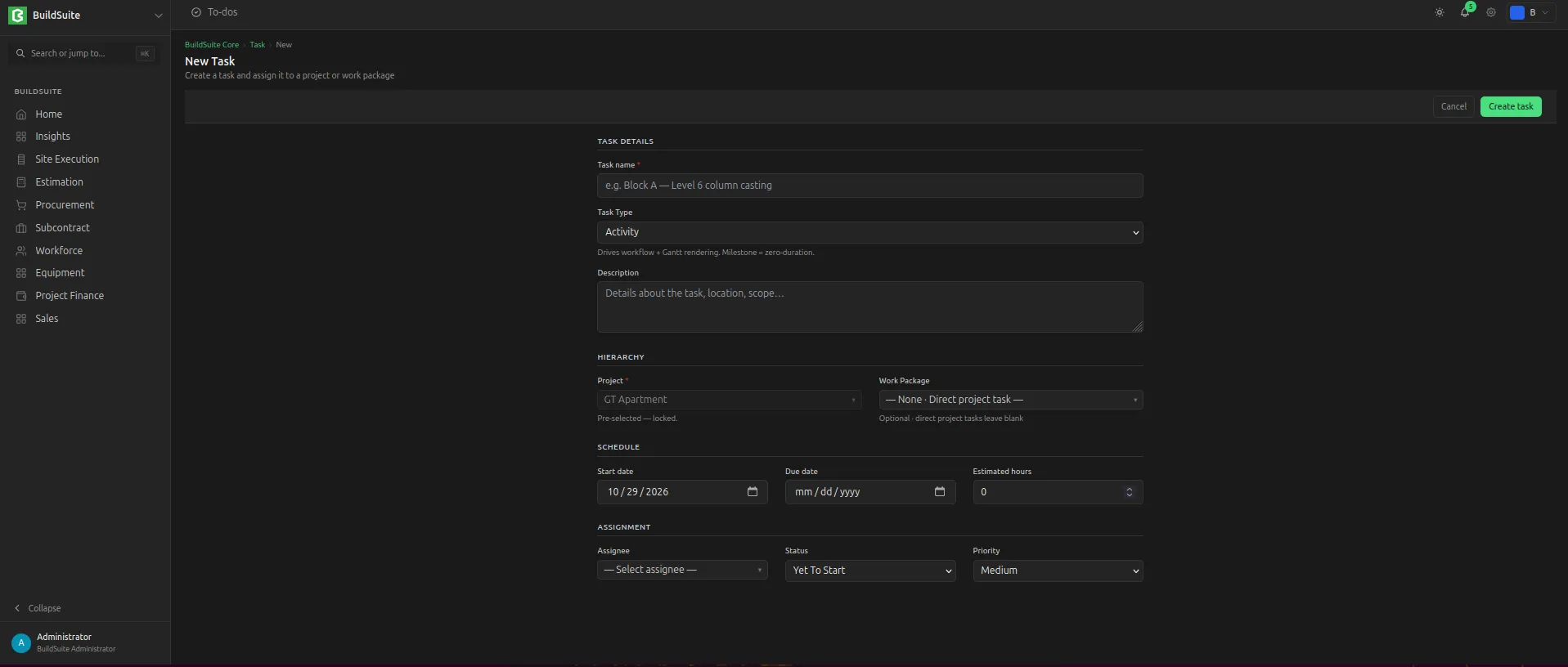
*Create a new task*
---
### **Task progress entries**
A progress entry records the progress of a task on a given date, with notes and any blocker.
| | | | |
| ------------------------- | ---------- | -------------------- | -------------------------------------------------------------------------- |
| **Field** | **Type** | **Mandatory** | **Notes** |
| Task | Link: Task | Yes | |
| Entry Date | Date | Yes | |
| Progress % | Percent | Yes | Cumulative: the total done so far, not the amount added today |
| Narrative
| Text | No | |
| Blocker | Check | No | |
| Blocker Notes | Text | If Blocker is ticked | |
| Updated By | Link: User | – | Filled automatically |
| Created On | Datetime | – | Filled automatically |
| Labour deployed today
| Text | No | Count of skilled workers and unskilled workers / helpers on site today
|
| Weather
| Select | No | |
| Attachment | Upload | No | For site photos or any other attachments. |
Rules:
- The task's progress is the Progress % of its latest entry (by Progress Date; the last created wins on the same date). Entries are not added together.
- Adding, editing or deleting an entry recalculates the task's progress and status.
The task page lists all its entries in date order as the task's progress history.
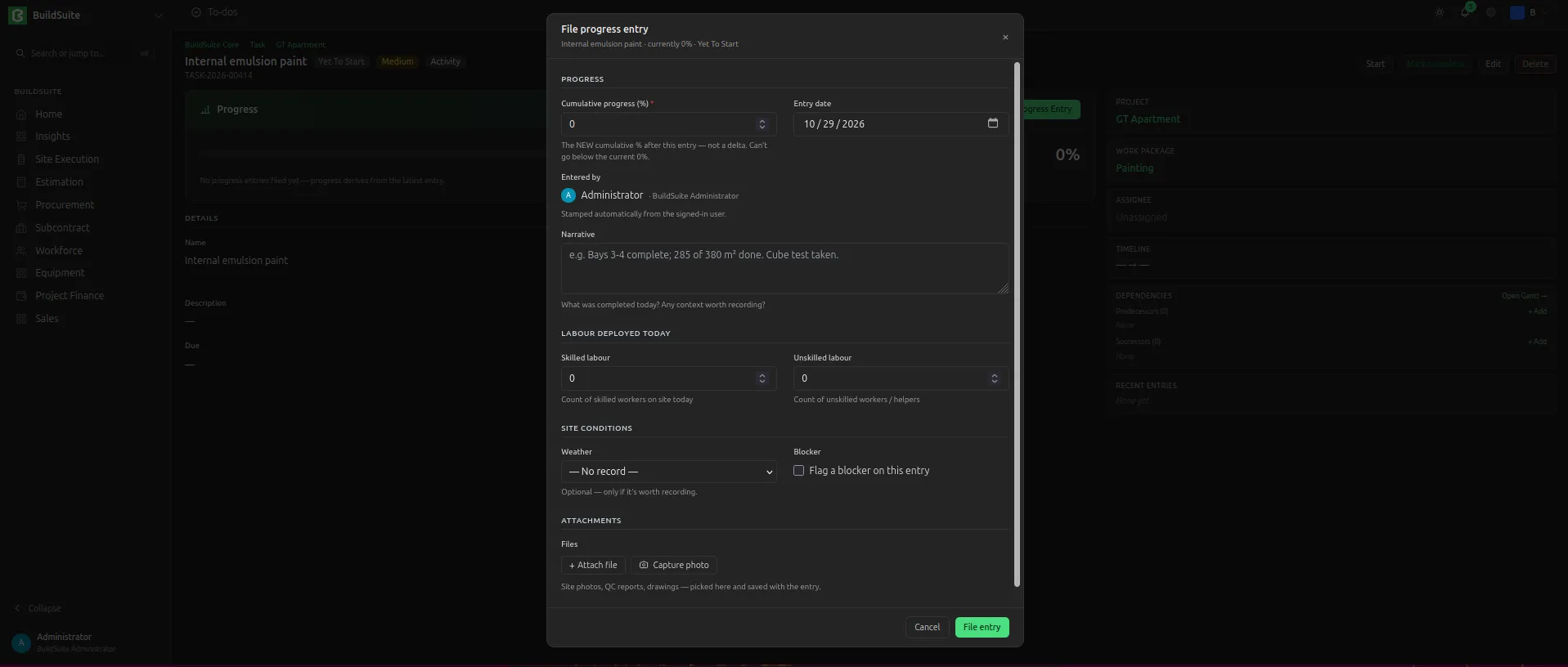
*Add Task Progress Entry*
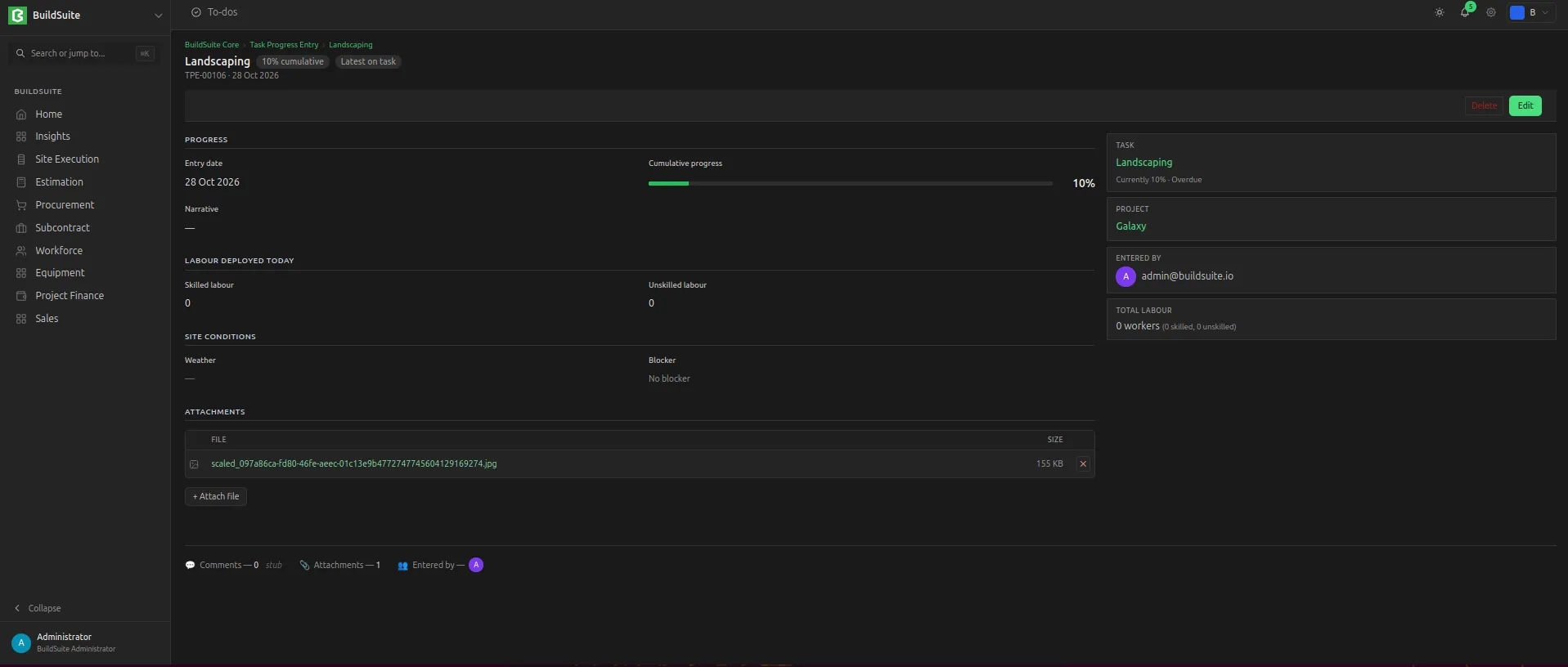
*Progress Entry Detailed View*